· Zayd Khan · order-limits · 3 min read
Weight-based order limits: cap cart weight to control shipping costs
Weight-based limits control purchases by total item weight rather than quantity or price, improving fulfillment efficiency.
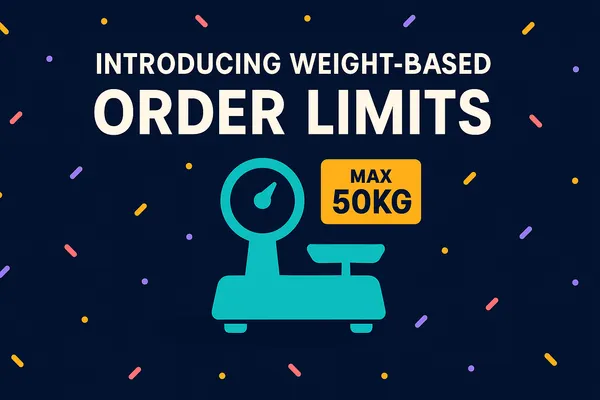
If you ship heavy products, you already know the problem: one customer orders 300kg of concrete mix, and suddenly your shipping quote is underwater. Weight-based order limits let you cap (or require) a minimum/maximum weight per cart. Here’s how they work and when to use them.
What are weight-based order limits?
Weight-based order limits allow you to set minimums and maximums based on the combined weight of a cart. For example, you could prevent customers from checking out with more than 50kg of products, or require a minimum of 2kg before shipping. Unlike standard quantity rules, this feature is designed for stores where weight has a direct impact on costs, logistics, or customer experience.
What types of stores would benefit from weight limits?
Weight limits are especially useful for stores that:
- Sell heavy goods like construction materials, furniture, or bulk beverages
- Ship food and beverage products internationally where costs spike on small orders
- Manage large or dense items such as pet food, gardening supplies, or home goods
- Run subscription boxes that need consistent weight ranges for packaging and delivery
If any of these sound like you, weight limits are worth setting up.
How to set up weight-based limits using DC Order Limits
Setting it up in your DC Order Limits app is easy. Here’s how:
- Click “New Rule” and give it a name (for internal use).
- Select Weight limits as the rule type.
- Enter your Minimum weight, Maximum weight, and choose the unit (lb, kg, oz, g).
- Choose how it applies whether its to the whole cart, each product, or specific variants.
- Set the product, customer, and market eligibility.
- Click Save!

And just like that, your store will only accept orders within the exact weight ranges you set, keeping fulfillment simple and shipping costs under control.
How merchants are already using weight-based limits
Real-world case: Heavy goods retailer
One construction supply store sells 25kg bags of concrete mix. In the past, some customers were stacking orders that weighed over 300kg, which led to unsafe handling and sky-high freight costs. By introducing a 150kg cart weight cap, the store kept orders manageable, made shipping affordable, and protected its staff from heavy lifting risks.
Real-world case: International food brand
A specialty grocer ships snacks and pantry goods to customers worldwide. The problem was that lightweight international orders often cost more to ship than the store earned in revenue. By setting a 2kg minimum weight for overseas markets, they avoided unprofitable micro-orders, kept shipping efficient, and still made it easy for international fans to enjoy their products.

Photo by KOBU Agency / Unsplash
Weight-based order limits are now live in DC Order Limits. If shipping costs have been eating your margins on heavy orders, this is how you fix it.