· Arbab Khan · comparison · 12 min read
Best Shopify Checkout Apps (2026): The Complete Comparison
We compared 8 Shopify checkout apps on ratings, pricing, plan requirements, and what each one actually changes at checkout. Here is which app fits which store.
Installing the wrong checkout app costs more than the monthly subscription. You pay for it in conversions lost to a clunky checkout flow, hours spent working out why a payment method disappeared, and the migration headache when the app turns out to conflict with your theme.
The most common surprise is the Shopify Plus requirement. Many checkout apps can only change the checkout page itself on Plus, which starts at $2,300/month on a three-year term. On Basic, Grow, or Advanced, that limit is easy to miss until after you install. We mark which features work on standard plans for every app below.
The platform has also changed a lot this year. Shopify retired checkout.liquid for the checkout page in 2024. Shopify Scripts stopped running on June 30, 2026, and on August 26, 2026, non-Plus stores lost their legacy Thank you and Order status page customizations, including Additional Scripts and script tags. If something in your checkout stopped working over the summer, these changes are the first place to look. Any app you install now should be built on Checkout Extensibility and Shopify Functions, the systems that replaced them.
About this guide: This guide contains no affiliate links. Dash Checkout (ranked #4) is our own app. We included it because it operates in this space, and we wrote its pros and cons the same way we did for every other app.
Two apps we originally evaluated, AfterSell and Selleasy, were dropped from the final guide: as of October 25, 2026, both listings show “not currently available” on the Shopify App Store. If they return, we’ll re-evaluate them in the next update.
How we evaluated these apps
We scored each app across five areas:
- Functionality (30%): Features, customization options, and checkout capabilities
- Ease of use (20%): Setup experience and interface quality based on merchant reviews
- Support and documentation (20%): Response times and help resource quality
- Value for money (15%): Whether pricing feels fair and predictable at scale
- Plan compatibility (15%): What works on standard Shopify vs. what requires Plus
Quick comparison
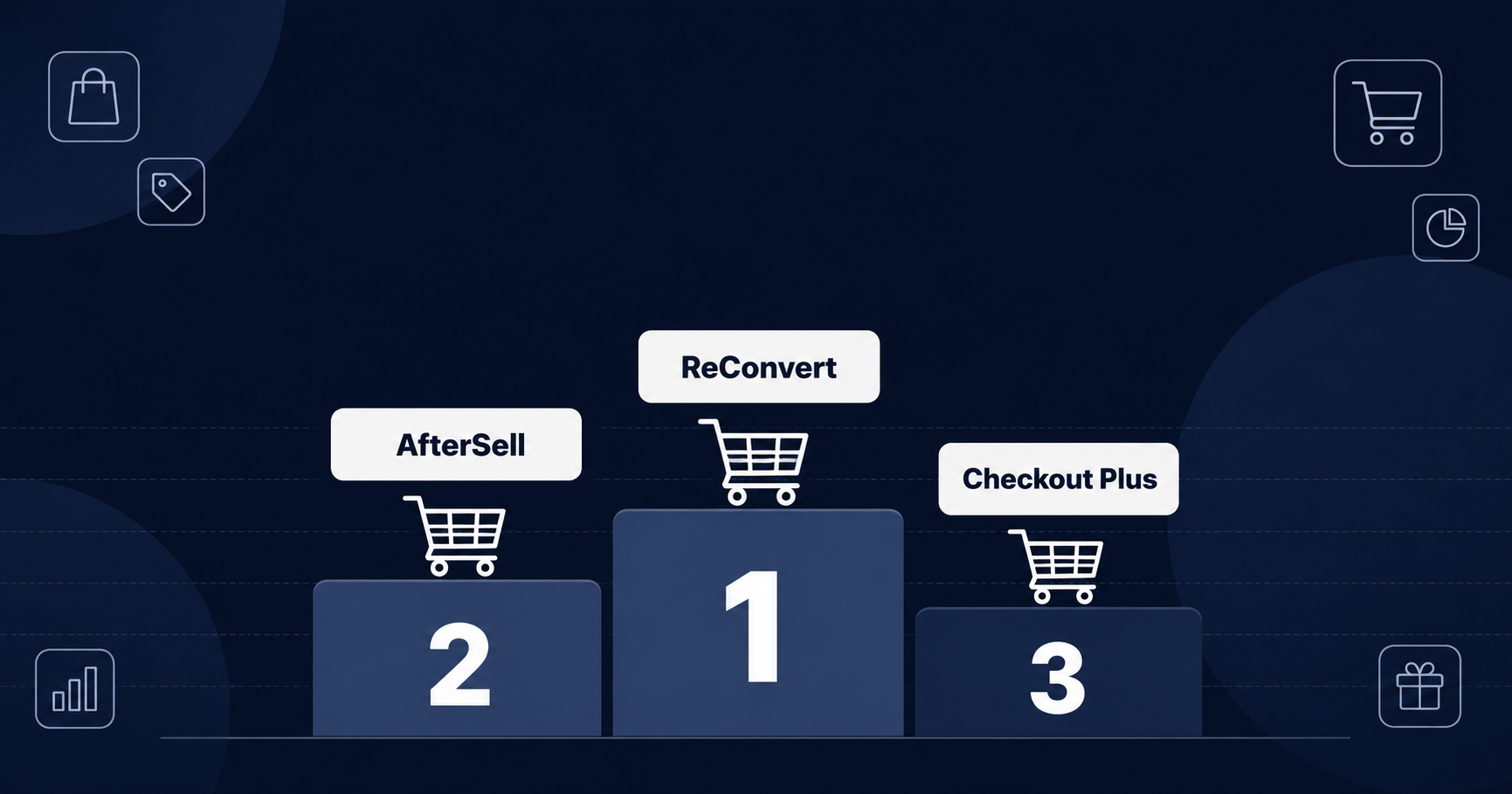
| Rank | App | Rating | Best For | Free Plan | Starting Price |
|---|---|---|---|---|---|
| 1 | ReConvert | 4.8 (3,119) | Thank-you page and upsell funnels | Yes (up to 50 orders/mo) | $9.99/mo |
| 2 | Checkout Plus | 5.0 (127) | Checkout page customization | Development stores only | $19/mo |
| 3 | Shopify Checkout Blocks | 4.1 (220) | Shopify’s own customization app | Free app | Free |
| 4 | Dash Checkout | 4.6 (50) | Order limits and checkout rules | Yes | See pricing |
| 5 | Qikify | 4.9 (73) | All-in-one checkout customization | Yes | $99/mo |
| 6 | Zipify OCU | 4.5 (570) | Full-funnel upsells | Development stores only | $9.95/mo |
| 7 | Payfy | 4.9 (157) | Payment method rules | Development stores only | $3.99/mo |
| 8 | Stellar Delivery Date | 4.8 (552) | Delivery date picking | Yes (50 orders, 3 locations) | $14.99/mo |
What “checkout app” means in 2026
“Checkout app” now covers three distinct moments in the buying flow:
In-checkout customization: Adding upsells, trust badges, custom fields, or branding to the checkout page itself. Most of this requires Shopify Plus. Rules that hide, rename, or reorder payment and shipping methods, and validation rules that block a checkout, are the main exceptions because they run on Shopify Functions.
Post-purchase offers: The one-click upsell page that appears after payment but before the thank-you page. This works on all Shopify plans.
Thank-you page optimization: Upsells, surveys, and social follows on the order confirmation page. Also works on all plans.
Most apps in this guide cover more than one of these, but their strengths differ. We call out where each app is strongest.
1. ReConvert (Upsell.com)
Rating: 4.8 stars (3,119 reviews) | Best for: Merchants focused on thank-you page and post-purchase revenue
ReConvert, now listed as ReConvert post purchase upsell by Upsell.com, has the largest review count in this guide. Its drag-and-drop editor covers product page, cart, checkout, post-purchase, and thank-you page offers, with surveys and birthday collection built in.
Pros
- Drag-and-drop editor with a wide range of upsell and cross-sell widgets
- A/B testing and funnel analytics on every plan, including free
- AI product recommendations and frequently bought together bundles
- Post-purchase survey and customer birthday collection
- 95% of its 3,119 reviews are five stars
- Free plan covers up to 50 orders or $50 in upsell revenue per month
Cons
- Pricing is based on monthly orders or upsell revenue (whichever is higher), so it climbs as you grow
- The jump from Growth ($9.99/month) to Scale ($199/month) is steep
- In-checkout upsells require Shopify Plus
Pricing
- Free: Up to 50 orders or $50 upsell revenue per month
- Growth ($9.99/month): Up to 2,000 orders or upsell revenue per month
- Scale ($199/month): Up to 10,000
- Elite ($499/month): Up to 20,000
- Paid plans include a 14-day free trial
2. Checkout Plus
Rating: 5.0 stars (127 reviews) | Best for: Merchants who want checkout, thank-you, and order status page control with hands-on support
Checkout Plus has a perfect 5.0 rating across 127 reviews, which is rare at that volume. It customizes the checkout, thank-you, and order status pages, and its Basic plan works on standard Shopify plans for thank-you pages, order status pages, payment and shipping rules, and order validation.
Support comes up often in its reviews, and a few name a team member, Darian. One August 2026 reviewer from Built for Athletes wrote: “Darian was very helpful and responsive in resolving one bug we encountered and went the extra mile to help us.”
Pros
- 98% of its reviews are five stars
- Checkout, thank-you, and order status page customization
- Trust badges, reviews, gift messages, and delivery instructions at checkout
- Payment and shipping method rules with conditions
- Order validation and limits included on the Basic plan
- Annual billing saves 25 to 27%
Cons
- Checkout page customization needs the Plus or Advanced plan, and both are limited to Shopify Plus stores
- No free plan for live stores
- Smaller review base than older competitors
Pricing
- Staging and development stores: Free
- Basic ($19/month): Thank-you and order status pages, payment and shipping rules, order validation, post-purchase upsells
- Plus ($49/month, Shopify Plus only): Checkout page customization
- Advanced ($89/month, Shopify Plus only): Checkout upsells, auto-add gifts, branding, surveys, priority support
- All plans include a 7-day free trial
3. Shopify Checkout Blocks
Rating: 4.1 stars (220 reviews) | Best for: Plus merchants who want checkout customization from Shopify itself
Checkout Blocks is Shopify’s own checkout customization app, and it is free. On any plan, you can add content blocks to the thank-you and order status pages and set order value limits and address format rules. On Plus, it extends to the full checkout: custom fields, content blocks, hiding and reordering delivery and payment methods, and custom order and shipping discounts.
The trade-off is depth. Third-party apps in this guide offer more features, and the non-Plus version is limited.
Pros
- Built and maintained by Shopify
- Free on every plan
- Order value limits and address rules available on standard plans
- No third-party code in your checkout
Cons
- Checkout page customization requires Shopify Plus
- Fewer features than third-party alternatives
- 13% of reviews are one star, the highest share in this guide
Check the plan requirements before you install. One September 2026 one-star reviewer wrote: “This app does not allow a block to be placed on the checkout page, but only on the order page.”
Pricing
- Free
4. Dash Checkout (DC Customer Order Limits)
Rating: 4.6 stars (50 reviews) | Best for: Stores needing purchase limits, order validation, or shipping and payment rules
Dash Checkout approaches checkout from a different angle. Instead of adding upsells, it adds rules. You can set maximum and minimum quantities per order, require a minimum cart value, cap order weight, enforce lifetime purchase limits per customer, and hide, rename, or reorder shipping and payment options at checkout.
This matters for product drops, wholesale stores, subscription boxes, and any merchant who needs to control what customers can buy rather than encourage them to buy more.
Pros
- Per-order minimum and maximum quantities, cart price minimums, and weight limits
- Lifetime purchase limits per customer, tracked across orders instead of a single cart
- Checkout rules to hide, rename, or reorder shipping and payment methods
- Back-in-stock alerts by email and browser push
- Works on all Shopify plans, with limits and rules running as Shopify Functions
- Free plan available
Cons
- Focused on restrictions rather than conversion optimization
- Smaller review base than the upsell-focused apps
- No post-purchase upsells or thank-you page customization
Pricing
- Free plan available
- Paid plans: see our pricing page for current plans
5. Qikify Checkout Customizer
Rating: 4.9 stars (73 reviews) | Best for: Merchants wanting one app for most checkout customization
Qikify tries to cover everything a checkout app can do: custom fields, upsells and add-ons, widgets and badges, testimonials, validation rules, payment and delivery method rules, plus post-purchase and B2B extensions. It also runs an AI checkout audit that scores your checkout and lists what to fix.
Its free plan is more useful than most because payment rules, custom delivery methods, and checkout validation work on all Shopify plans. One May 2026 reviewer from Flower Moxie wrote: “They allow you to customize everything, respond quickly, and are super friendly. Would recommend 100%.”
Pros
- Wide feature set: custom fields, upsells, widgets, testimonials, payment rules
- Free plan with payment rules, delivery methods, and validation on all plans
- AI checkout audit with a ranked list of improvements
- Post-purchase and B2B checkout extensions on the paid plan
- 89% of its reviews are five stars
Cons
- Custom branding and most checkout page content need Shopify Plus
- The only paid plan is $99/month, a big step up from free
- Small review base, so fewer tutorials and community discussions
Pricing
- Free: Payment rules, custom delivery methods, checkout validation
- Checkout Premium ($99/month or $950.40/year): Custom fields, offers and add-ons, widgets, post-purchase and B2B extensions, priority support, 14-day free trial
6. Zipify One Click Upsell (OCU)
Rating: 4.5 stars (570 reviews) | Best for: Stores wanting full-funnel upsell coverage with built-in testing
Zipify OCU covers every offer placement in one app: product page, pre-purchase, slide cart, checkout (Plus), one-click post-purchase, and thank-you page. Its Dynamic AI Offers pick which offer to show based on your store’s data.
Pros
- Covers every offer placement in a single app
- Built-in A/B testing with targeting by product, cart value, and customer tags
- Dynamic AI Offers that adjust based on store data
- No coding required, with a drag-and-drop editor and custom CSS
- Low entry price for stores with little upsell revenue
Cons
- Pricing rises with your upsell revenue
- No free plan for live stores
- In-checkout upsells require Shopify Plus
- 5% of reviews are one star, more than most apps in this guide
Pricing
- Development stores: Free
- $9.95/month while upsell revenue stays under $200/month
- $25 to $99/month for $200 to $2,500 in monthly upsell revenue
- From $149/month above $2,500, capped at $999/month
- All tiers include every feature and a 30-day free trial
7. Payfy: Hide Payment Rules
Rating: 4.9 stars (157 reviews) | Best for: Stores needing conditional payment method display
Payfy does one thing: it controls which payment methods appear at checkout. You can hide Cash on Delivery for international orders or PO box addresses, hide PayPal for certain products, hide express checkout buttons, and rename or reorder payment options.
It runs on Shopify Functions, so you don’t need Plus to hide, rename, or reorder payment methods.
Pros
- Works on standard Shopify plans
- Hide payment methods by cart total, product, customer tag, country, address, or shipping method
- Rename and reorder payment methods
- Hide express checkout buttons
- Low price, with paid plans from $3.99/month
Cons
- No free plan for live stores
- Lower tiers cap the number of rules (2 on Basic, 5 on Advanced)
- No upsells or other checkout customization
Pricing
- Development stores: Free
- Basic ($3.99/month): 2 rules
- Advanced ($5.99/month): Up to 5 main rules
- Premium ($9.99/month): Multiple rules, cart attributes, line properties, metafield conditions
- All paid plans include a 7-day free trial
8. Stellar Delivery Date and Pickup
Rating: 4.8 stars (552 reviews) | Best for: Stores offering local delivery, store pickup, or scheduled shipping
Stellar adds a delivery date and time picker so customers can choose when their order arrives or when they will pick it up. For bakeries, florists, and grocery stores, this is core functionality.
The app supports local delivery, in-store pickup, and scheduled shipping. Paid plans show the calendar on product, cart, and checkout pages, but the checkout page calendar only works on Shopify Plus stores.
Pros
- Local delivery, store pickup, and shipping date selection
- Blackout dates, cutoff times, and preparation times
- Google Calendar sync and Shopify POS support
- Multi-location support, unlimited on the Pro plan
- Free plan for small stores
Cons
- Checkout page calendar requires Shopify Plus
- Free plan limits the picker to product pages and caps you at 50 orders
- No upsells or other checkout features
Pricing
- Free: Up to 50 orders and 3 locations, picker on product pages
- Starter ($14.99/month): Unlimited orders, 3 locations, product, cart, and checkout calendars
- Pro ($29.99/month): Unlimited locations and orders
- Custom shipping at checkout costs an extra $20/month (Shopify Plus only)
Shopify Plus vs. standard plans: what actually works
This is the most confusing part of checkout apps. Here’s the breakdown:
Works on all Shopify plans:
- Post-purchase upsells (after payment, before confirmation)
- Thank-you and order status page customization
- Payment and shipping method rules via Shopify Functions
- Order validation and limits via Shopify Functions
- Product and cart page date pickers
Requires Shopify Plus (from $2,300/month):
- In-checkout upsells and content blocks
- Custom checkout fields
- Advanced checkout branding
- Checkout page date pickers
- Most other checkout page customization
If you’re on a standard Shopify plan, focus on post-purchase apps (ReConvert, Zipify OCU), thank-you page apps, and Functions-based rules (Payfy, Dash Checkout, Qikify’s free plan). Don’t install a checkout page customization app expecting it to change the checkout itself.
What to look for
Features that matter most
- One-click upsells that don’t slow down checkout
- A/B testing to compare offers
- Support for standard Shopify plans as well as Plus
- Setup you can finish without a developer
- Pricing you can predict as your order volume grows
Common pitfalls
- Discovering Plus requirements after installation
- Order-based or revenue-based pricing that scales faster than expected
- Apps that slow down checkout page load time
- Conflicts between multiple checkout apps
- Limited analytics for understanding which offers work
Recommendations by use case
Maximizing post-purchase revenue: ReConvert for the most flexible thank-you page editor and post-purchase surveys.
Full checkout customization on Plus: Checkout Plus for hands-on support, or Qikify for one app that does most things.
Cross-sells across the funnel: Zipify OCU covers every offer placement from product page to thank-you page in one app.
Purchase restrictions and limits: Dash Checkout for order limits, quantity caps, and customer purchase tracking.
Payment method control: Payfy for hiding or reordering payment options based on conditions.
Delivery scheduling: Stellar for local delivery, pickup, and shipping date selection.
Staying inside Shopify’s own tools: Shopify Checkout Blocks, especially on Plus.
How to choose
If you’re still unsure, start with the problem you’re trying to solve.
If you want more revenue from existing customers, install ReConvert (free up to 50 orders a month) and test thank-you page and post-purchase upsells.
If you want in-checkout customization, check that you’re on Shopify Plus first. If you’re not, stick to post-purchase and thank-you page apps until you upgrade.
If you need to control what customers can buy, Dash Checkout handles limits and restrictions. That is a different job from upsell apps, and the two can run side by side.
Be careful about installing multiple checkout apps at once. Conflicts happen, and working out which app broke your checkout takes time. Start with one, confirm it works, then add a second if you need it.
Ratings, review counts, and pricing are from the Shopify App Store as of October 25, 2026. We’ll update this guide as apps release new features or change their pricing.