
Wholesale Minimum Order Quantity
Minimum order quantities for Shopify wholesale
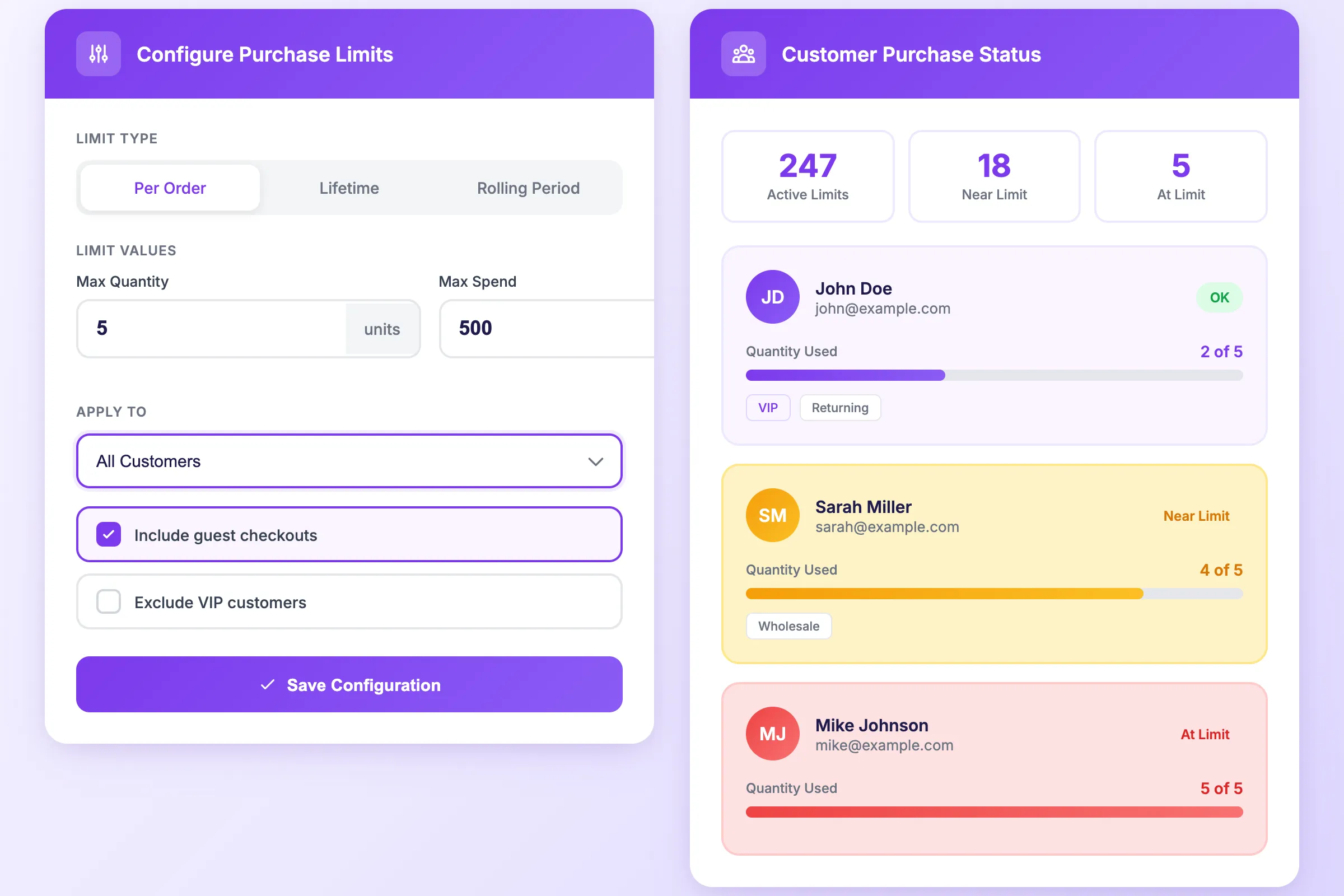
Set MOQ requirements that apply only to wholesale buyers. Tag-based rules mean retail customers shop normally while B2B accounts see their required minimums. Account status is remembered across all orders.
The Problem
Why wholesale needs different rules
Shopify does not differentiate by customer type
Native Shopify limits apply to everyone. You need an app that applies different rules to different customer segments.Wholesale pricing requires minimum quantities
At wholesale margins, small orders are unprofitable. You need to enforce minimums to ensure every wholesale order covers fulfillment costs and generates margin.
Retail and wholesale cannot share the same rules
A 12-unit minimum makes sense for wholesale but would kill retail conversion. You need different minimums for different customer types.
Manual account management does not scale
Manually checking wholesale status for every order is error-prone and time-consuming. Automation ensures the right rules apply to the right customers automatically.
The Solution
Tag-based minimums with customer memory
Minimums that know your customers
The same order limit app that tracks lifetime purchases also tracks wholesale status. One install, all your limit rules.Customer tag targeting
Create rules that apply only to customers with specific tags like "wholesale", "retailer", or "distributor". Untagged customers shop without minimums.
Account status memory
Once a customer is identified as wholesale, DC Order Limits remembers their status across all future orders. No need to re-verify on every purchase.
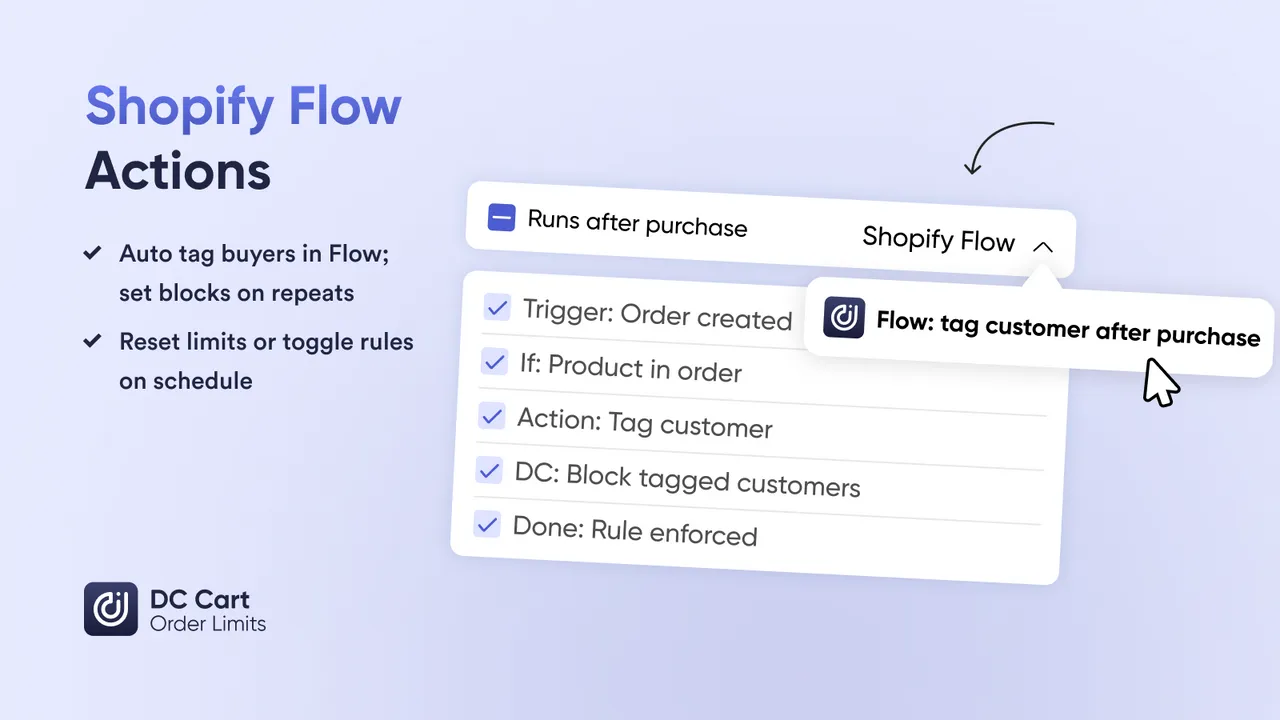
Automatic tagging via Shopify Flow
Flow can tag customers as wholesale when they meet criteria: total spend threshold, company association, or manual approval. Rules apply automatically from that point forward.
Tiered minimums by account level
New wholesale accounts: min 12 units. Silver accounts: min 24. Gold accounts: min 48. Each tier gets its own minimum based on their customer tag.
Set up wholesale minimums in 5 minutes
No code, no theme changes, works on all Shopify plans
Step 1: Install DC Order Limits
Install from the Shopify App Store. The app connects to your store instantly.
Step 2: Create a wholesale rule
Name your rule (e.g., "Wholesale MOQ") and target customers with the "wholesale" tag.
Step 3: Set your minimum
Enter the minimum quantity (e.g., 12 units) or minimum order value (e.g., $250).
Step 4: Choose products or collections
Apply to specific products, entire collections, or the whole cart. Most wholesale MOQs apply store-wide.
Step 5: Activate and test
Enable the rule and test with a wholesale-tagged customer. Verify the minimum is enforced at checkout.
Use Cases
Wholesale minimum order scenarios
Real B2B use cases for minimum order requirements
Products sold by the case require purchasing full cases. Set min 12 (case of 12) or min 24 (master case) per product.
Require $250 minimum order for wholesale accounts to ensure profitability after wholesale discounts and shipping.
New wholesale: $250 minimum. Established partners: $500 minimum. Distributors: $1,000 minimum. Enforce profitability at scale.
Some products have higher manufacturing minimums. Set per-product MOQs: Widget A min 24, Widget B min 48.
Require minimum quantities from specific collections. "Order at least 6 items from Summer 2026" for reorders.
New wholesale accounts must place a larger initial order. Tag new accounts and require $500 first order, then $250 for reorders.
Features
Everything for wholesale minimum orders
The tools you need to enforce profitable wholesale ordering
Minimum quantity limits
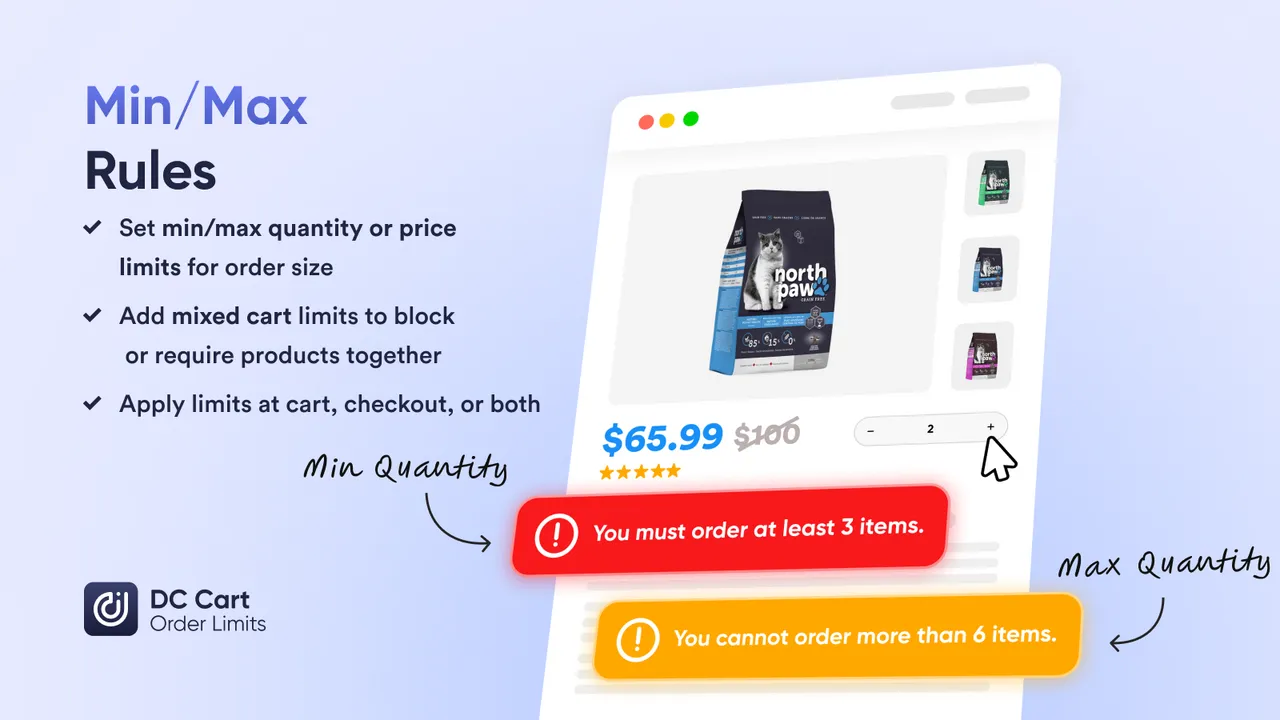
Set minimum units per product, variant, collection, or entire cart. Checkout blocks if minimum is not met.
Minimum order value
Require a minimum cart total like $250. Works independently or alongside quantity minimums.
Customer tag targeting
Apply rules only to customers with specific tags. Wholesale buyers see minimums; retail customers do not.
Account memory
Customer status is tracked across all orders. Once identified as wholesale, their status persists automatically.
Maximum limits too
Set both min and max in one rule. "Min 12, max 144" for products sold by the case with allocation caps.
Clear error messages
Customers see exactly how many more units they need. Customizable messages fit your brand voice.
FAQs
Frequently asked questions
What is a minimum order quantity (MOQ)?
A minimum order quantity is the smallest number of units a customer must purchase to complete checkout. Wholesale merchants use MOQs to ensure orders are profitable after accounting for fulfillment costs and wholesale pricing.
Can I set different minimums for wholesale vs retail customers?
Yes. Use Shopify customer tags to create tiered minimums. For example, customers tagged "wholesale" must order at least 12 units, while retail customers have no minimum. The app checks customer tags at checkout and applies the appropriate rule.
How do I identify wholesale customers automatically?
Shopify Flow can tag customers automatically based on criteria like total spend, order count, or B2B company association. Once tagged, they automatically get wholesale minimums applied. DC Order Limits remembers their account status across all orders.
Can I require a minimum order value instead of quantity?
Yes. You can set minimums based on cart total (e.g., "$250 minimum order") instead of or in addition to quantity minimums. This is common for wholesale accounts where order profitability depends on value, not unit count.
Do minimums apply to the whole cart or specific products?
Both options are available. You can require a minimum quantity of a specific product, a collection, or the entire cart. For wholesale, cart-wide minimums are most common.
What happens when someone does not meet the minimum?
Checkout is blocked and the customer sees a clear message explaining the minimum requirement and how many more units they need to add. You can customize this message for your brand.
Can I set maximum quantities alongside minimums?
Yes. Many wholesale merchants set both minimum and maximum order quantities. For example, "min 12, max 144" for a product sold by the case. DC Order Limits handles both in a single rule.
Learn More
Related guides
Set per-customer quotas that track purchases across all orders. Great for wholesale allocation management.
Limits that persist across multiple orders. Track total purchases per customer over time.
Cap orders by total weight for shipping cost control. Essential for wholesale logistics.
Start enforcing wholesale minimums today
DC Order Limits handles minimum order quantities, customer tagging, and account memory all in one app. Install free and set up your first wholesale MOQ rule in under 5 minutes.