
Maximum Quantity Limits
Cap how many each customer can buy
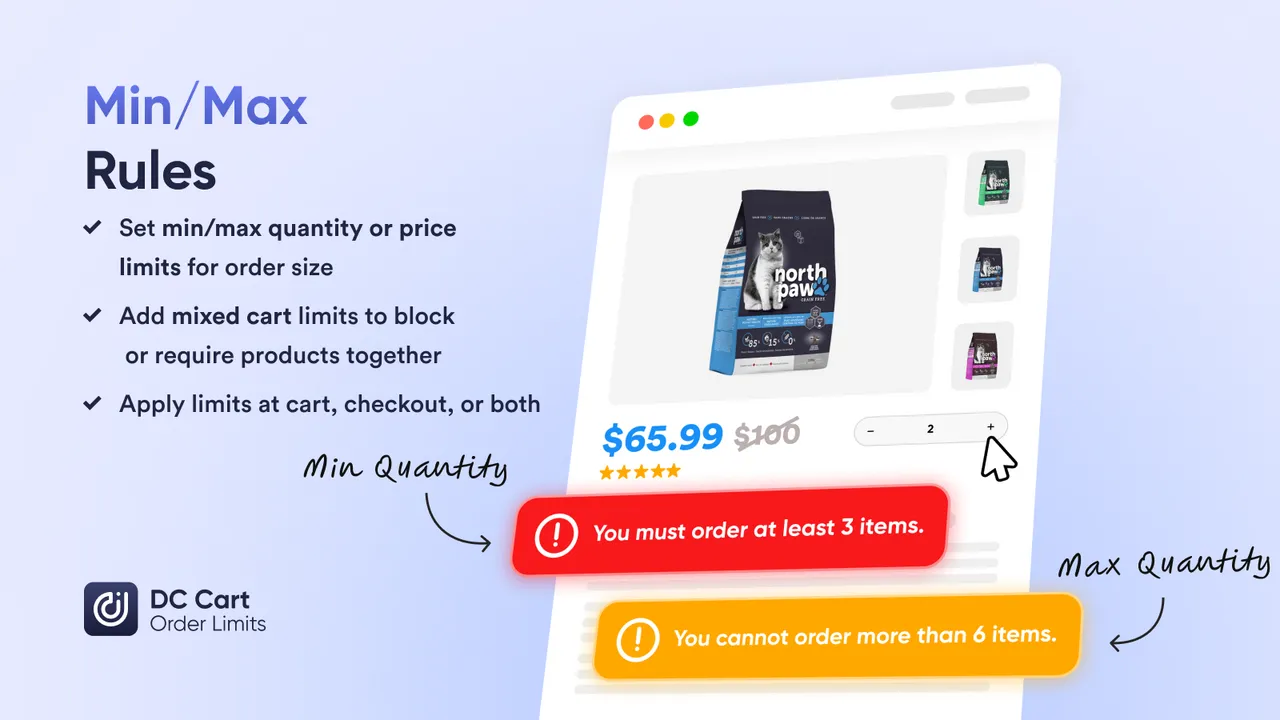
Set maximum quantity limits per product, variant, or cart. Prevent overselling on limited editions, ensure fair access during high-demand sales, and stop bulk buying before it happens.
The Problem
Shopify does not limit per-product quantities
Inventory does not protect you from bulk buyers
Shopify inventory tracking prevents overselling total stock, but cannot prevent one customer from buying it all.Native Shopify only has a global cart limit
The built-in setting in Checkout limits total items in cart — not individual products. A customer can still add 100 of one product.
One customer can buy your entire stock
Without per-product limits, a single bulk buyer (or bot) can clear your inventory before other customers have a chance.
Manual order review does not scale
Catching and canceling bulk orders after checkout wastes time and frustrates customers. Prevention is better than refunds.
The Solution
Per-product maximum quantity limits
Control what every customer can buy
Set the limit once. Every cart and checkout enforces it automatically. No manual review needed.Set max per product or variant
Limit any product to a maximum of 1, 2, 5, or any number you choose. Apply to specific products, entire collections, or your whole store.
Enforce at cart AND checkout
Limits appear in the cart with clear error messages. They are enforced again at checkout so customers cannot bypass them.
Combine with customer tracking
Add lifetime limits to prevent customers from placing multiple orders. "Max 2 per order, max 4 per customer" closes all loopholes.
Max Quantity Features
Everything for quantity control
Flexible limits that fit any product strategy
Per-Product Limits
Set a maximum quantity for individual products. "Max 2 hoodies per order" applies to that product only.
Per-Variant Limits
Limit each variant separately. "Max 1 per size" means a customer could buy 1 small AND 1 medium.
Per-Collection Limits
Apply limits to entire collections. "Max 3 from the Limited Edition collection" caps purchases across all products in that group.
Cart-Level Limits
Limit total items in cart regardless of product. "Max 10 items per order" applies store-wide.
Customer-Aware Limits
Track purchases over time. "Max 2 per order, max 6 lifetime" prevents repeat bulk buying.
Custom Error Messages
Customers see clear, branded messages explaining why they cannot add more. Reduces confusion and support tickets.
Set up max quantity limits in 5 minutes
No code required. Works with any Shopify theme.
Step 1: Install DC Order Limits
Add the app from the Shopify App Store. The checkout extension activates automatically.
Step 2: Create a new rule
Name your rule and select which products, variants, or collections it applies to.
Step 3: Set your maximum
Enter the max quantity per order. Optionally add a lifetime max per customer.
Step 4: Customize your message
Write the error message customers see when they exceed the limit.
Step 5: Activate
Turn on the rule. It starts enforcing immediately on cart and checkout.
Use Cases
When merchants use max quantity limits
Real scenarios where capping purchases matters
Exclusive releases with max 1 or 2 per customer to ensure more fans get access.
Prevent bulk buyers from clearing discounted inventory before regular customers arrive.
Giveaway products capped at 1 per order to prevent abuse.
New products with limited initial stock distributed fairly across customers.
Retail customers get max 5, wholesale-tagged customers get unlimited or higher limits.
Extra items capped per subscriber to ensure availability for all.
FAQs
Frequently asked questions
Does Shopify have built-in maximum quantity limits?
Shopify has a basic cart limit in Settings > Checkout, but it only applies to total cart items across all products. There is no native way to limit individual product quantities. For per-product limits, you need an app like DC Order Limits.
What is the difference between product-level and variant-level limits?
Product-level limits apply across all variants. If you set "max 2" on a t-shirt, a customer can buy at most 2 t-shirts total (any size/color). Variant-level limits apply to each variant independently — a customer could buy 2 small, 2 medium, 2 large. Choose based on your use case.
Can I set different max limits for different products?
Yes. Create separate rules for different products or collections. Your limited edition hoodie can have a max of 1 while regular products have no limit.
What happens when a customer tries to add more than the maximum?
In the cart, customers see an error message explaining the limit. At checkout, orders exceeding the limit are blocked. You can customize both messages to match your brand.
Can I combine max quantity with per-customer limits?
Yes. Set a max of 2 per order AND a lifetime max of 4 per customer. This prevents one customer from placing multiple orders to circumvent the per-order limit.
Do max limits apply to wholesale customers too?
You control this with customer tags. Create one rule for retail (max 2) and another for wholesale-tagged customers (max 24 or no limit). Different customers get different limits.
Can I set a maximum based on total cart quantity instead of per-product?
Yes. DC Order Limits supports cart-level limits (e.g., "max 10 items total in cart") as well as per-product limits. Use whichever fits your business model.
Learn More
Related guides
Start limiting quantities today
Set maximum quantity limits per product, variant, or cart. Install free and create your first rule in minutes.