
Time-Based Purchase Limits
Purchase limits that reset on your schedule
Set daily, weekly, monthly, or yearly purchase caps per customer. Limits reset automatically via Shopify Flow. Perfect for bakeries, subscription boxes, employee discounts, and recurring allocations.
The Challenge
Why time-based limits matter
Recurring quotas require recurring resets
Lifetime limits are powerful, but many businesses need limits that refresh on a schedule. Time-based limits give you both: persistent tracking with scheduled resets.Daily limits for fresh goods
Bakeries and food merchants need to limit popular items each day. Without daily resets, one customer could buy your entire morning batch.
Monthly caps for employee programs
Staff discounts need monthly spend limits. Without automated resets, tracking manually becomes a full-time job.
Weekly allocations for subscriptions
Subscription box add-ons should be limited per billing cycle. Customers cannot stockpile add-ons across months.
Yearly quotas for VIP members
Premium members get annual allocations on exclusive products. Limits reset each January automatically.
How It Works
Lifetime tracking + scheduled resets = time-based limits
No spreadsheets. No manual tracking.
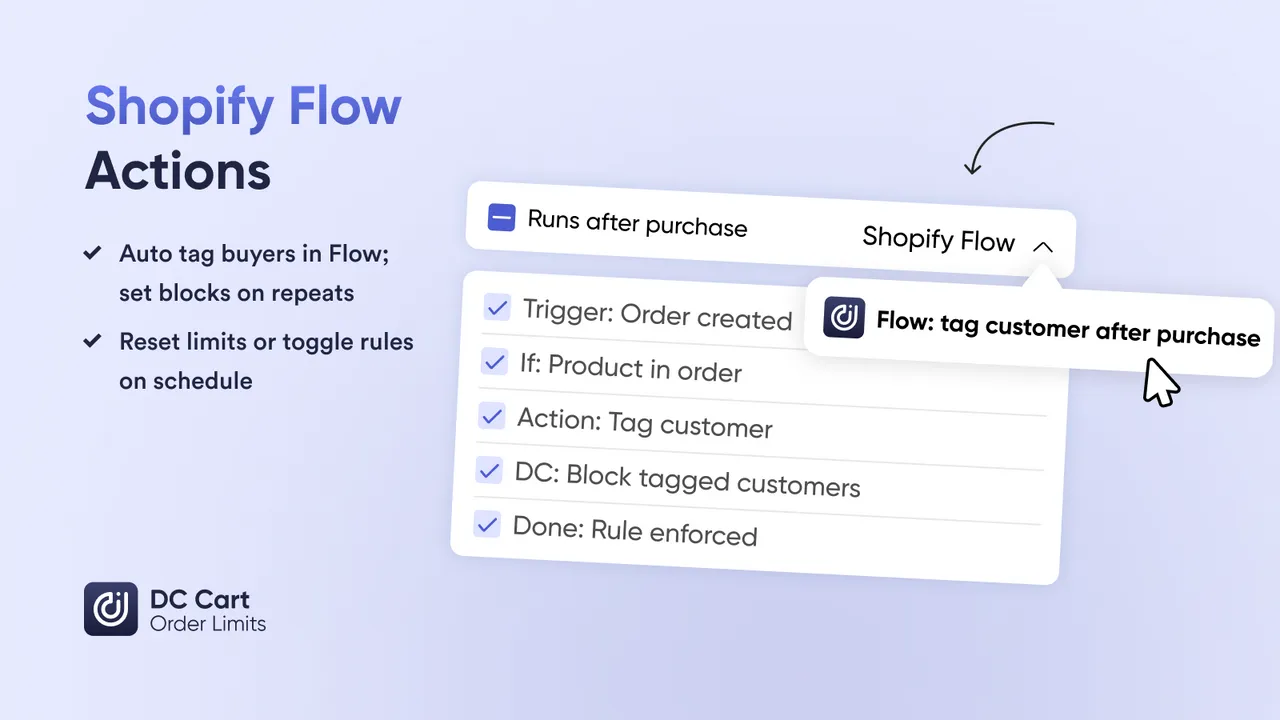
The app remembers purchases. Shopify Flow resets on schedule. You set the policy, we handle enforcement.Set your purchase limit
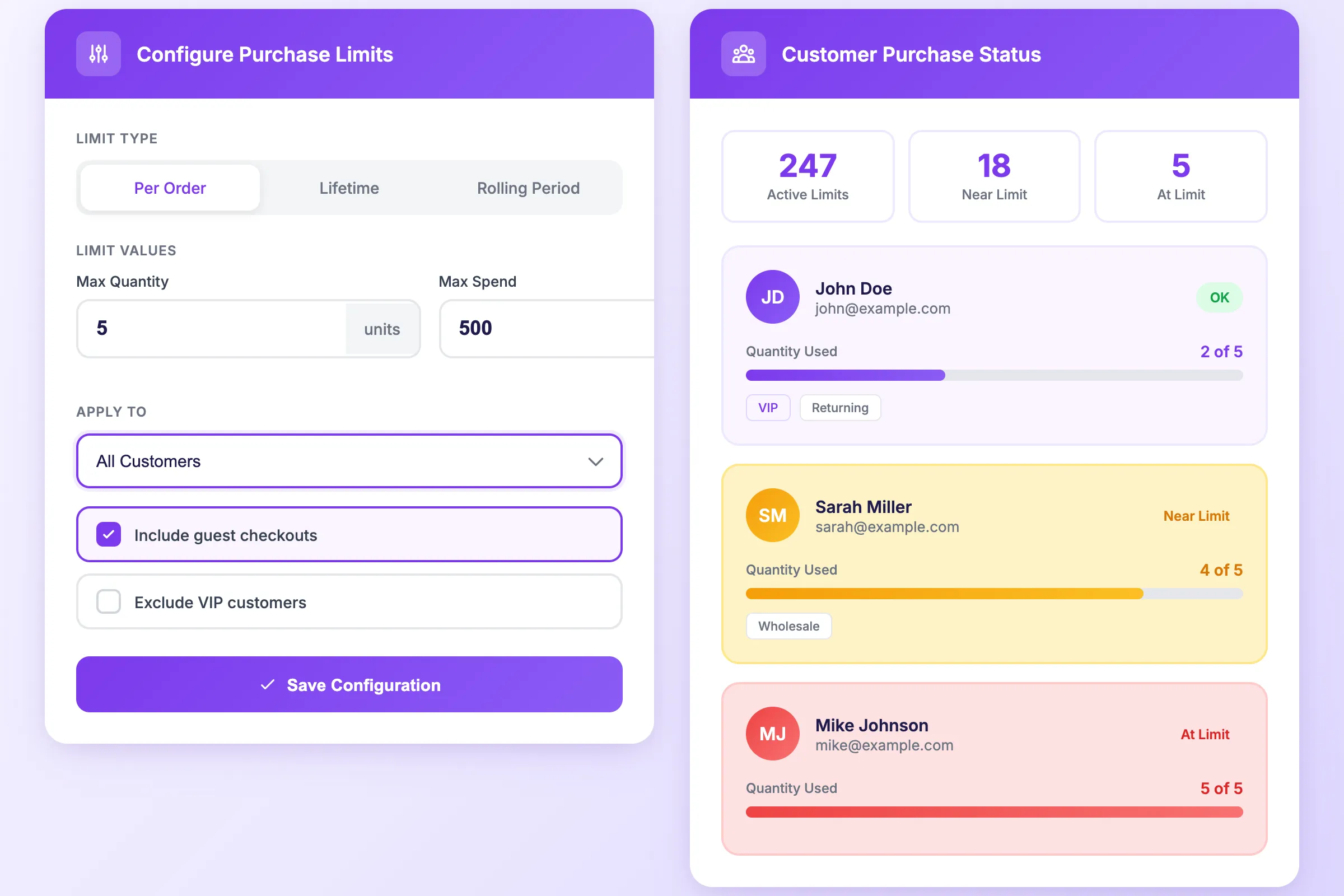
Create a rule with the maximum quantity or spend per customer. Example: "Max 6 croissants per customer" or "Max $500 employee discount".
Choose your reset schedule
Use Shopify Flow to reset limits daily, weekly, monthly, or yearly. Set the exact time and day that works for your business.
Limits track and reset automatically
Purchases accumulate toward the limit. When the reset triggers, every customer starts fresh with their full allocation.
Features
Everything for time-based purchase control
Combine lifetime tracking with automated resets to create any recurring quota
Daily Resets
Perfect for bakeries, fresh food, and made-to-order products. Limits refresh every morning automatically.
Weekly Resets
Ideal for subscription add-ons, meal kits, and weekly allocations. Reset on the same day each week.
Monthly Resets
Built for employee discount programs, wholesale allocations, and monthly member perks.
Yearly Resets
For premium member allocations, annual quotas, and exclusive yearly access to limited products.
Customer Tag Targeting
Different limits for different customer groups. VIPs get more allocation than regular members.
Quantity or Spend Caps
Limit by units purchased or dollars spent. Use whichever metric fits your business model.
Set up time-based limits in 10 minutes
No code required. Works with Shopify Flow on all plans.
Step 1: Install DC Order Limits
Add the app from the Shopify App Store. Checkout extension activates automatically.
Step 2: Create your limit rule
Set the maximum quantity or spend per customer. Apply to products, collections, or your entire store.
Step 3: Configure Shopify Flow
Create a Flow that resets the limit on your schedule — daily at 5am, monthly on the 1st, etc.
Step 4: Activate and test
Enable the rule and make a test purchase. Verify the limit applies and the reset triggers correctly.
Use Cases
Real use cases for time-based limits
Merchants using recurring purchase quotas every day
Daily limits on croissants, bread, and pastries. Reset at 5am so each morning starts fresh. Prevent one customer from buying the entire batch.
Monthly spend caps at $500 for staff purchases. Resets on the 1st of each month. HR approves once, limits enforce automatically.
Weekly limits on subscription box extras. Customers can add 3 items per week, reset every Monday. Prevents stockpiling.
Yearly quotas on exclusive products for premium members. "5 limited editions per year" resets every January 1st.
Daily order caps for custom items with limited production capacity. Accept 10 orders per day, no more.
Monthly allocation limits for retailers. Each wholesale account gets their monthly quota, reset automatically.
Benefits
What changes with time-based limits
Fresh inventory reaches more customers. When limits reset daily, everyone gets a chance to buy popular items.
No spreadsheets, no calendar reminders. Shopify Flow resets limits automatically on your schedule.
Customers know their quotas. "You can buy 6 croissants per day" is clear and fair. No surprises.
Clear messaging at checkout explains limits and reset times. Customers understand the rules without contacting support.
FAQs
Frequently asked questions
How do time-based limits differ from lifetime limits?
Lifetime limits track total purchases forever. Time-based limits reset automatically on a schedule. A customer with a "max 6 per week" limit can buy 6 croissants this week, and 6 more next week. Both use the same customer memory feature — the difference is whether you reset that memory.
Do I need Shopify Flow to reset limits?
Shopify Flow is the easiest way to automate resets on a schedule. Without Flow, you can reset limits manually from the dashboard at any time. Flow just automates what you would do by hand.
What reset schedules can I set?
Common schedules include daily (for fresh goods), weekly (for allocations), monthly (for employee discounts or subscription add-ons), and yearly (for premium member allocations). Shopify Flow supports any schedule you need.
Can I reset limits for specific products only?
Yes. Each limit rule can be reset independently. You might reset bakery limits daily while keeping employee discount limits on a monthly reset. Different rules, different schedules.
What happens when a customer reaches their limit before the reset?
Checkout is blocked with a clear message explaining when their limit resets. You can customize this message to match your brand and reduce support tickets.
Do customers need to be logged in?
Yes. To track purchases over time, customers must log in so their order history is linked to their account. Guest checkout cannot be tracked across orders.
Can I set different time limits for different customer groups?
Yes. Use Shopify customer tags to create tiered limits. VIP members might get 10 per month while regular customers get 5. Tag-based rules apply automatically at checkout.
Learn More
Related guides
The foundation for time-based limits: lifetime purchase tracking per customer.
How to automate limit resets and other workflows with Shopify Flow.
Set up your first time-based limit today
Combine customer memory with Shopify Flow to create daily, weekly, monthly, or yearly purchase quotas. Install free and configure your first rule in minutes.