
Checkout Validation
Rules that cannot be bypassed
Validate orders at Shopify checkout using Shopify Functions. Quantity limits, customer caps, and cart restrictions are enforced server-side. No workarounds, no loopholes, no scripts to disable.
Why It Matters
Cart-only validation is not enough
Cart shows warnings. Checkout enforces rules.
Both layers work together. Cart validation provides a good customer experience. Checkout validation ensures compliance.Cart messages can be ignored
Customers can dismiss cart warnings, refresh the page, or use browser tools to bypass client-side validation. Cart limits are guidance, not enforcement.
Checkout is the last line of defense
When rules are enforced at checkout, orders that violate limits simply cannot complete. The "Complete Order" button blocks until the cart complies.
Server-side cannot be disabled
Shopify Functions run on Shopify servers, not in the customer browser. There is no JavaScript to disable, no cookies to clear, no technical workaround.

June 2026 Deadline
Shopify Scripts is being retired
Future-proof your checkout rules
If your current order limit app uses Scripts or checkout.liquid, it will break. DC Order Limits is built on the new infrastructure.Scripts stop working June 30, 2026
Shopify is retiring checkout.liquid and Shopify Scripts. Apps that rely on them will stop working.
Checkout extensibility is mandatory
August 26, 2026, Shopify auto-upgrades all stores to checkout extensibility. Only apps using Shopify Functions will continue to work.
DC Order Limits is already compliant
We use Shopify Functions and checkout extensions — the new standard. Your order limits will keep working through and after the transition.
Checkout Validation Features
What you can enforce at checkout
Every rule type works at the checkout level
Quantity Limits
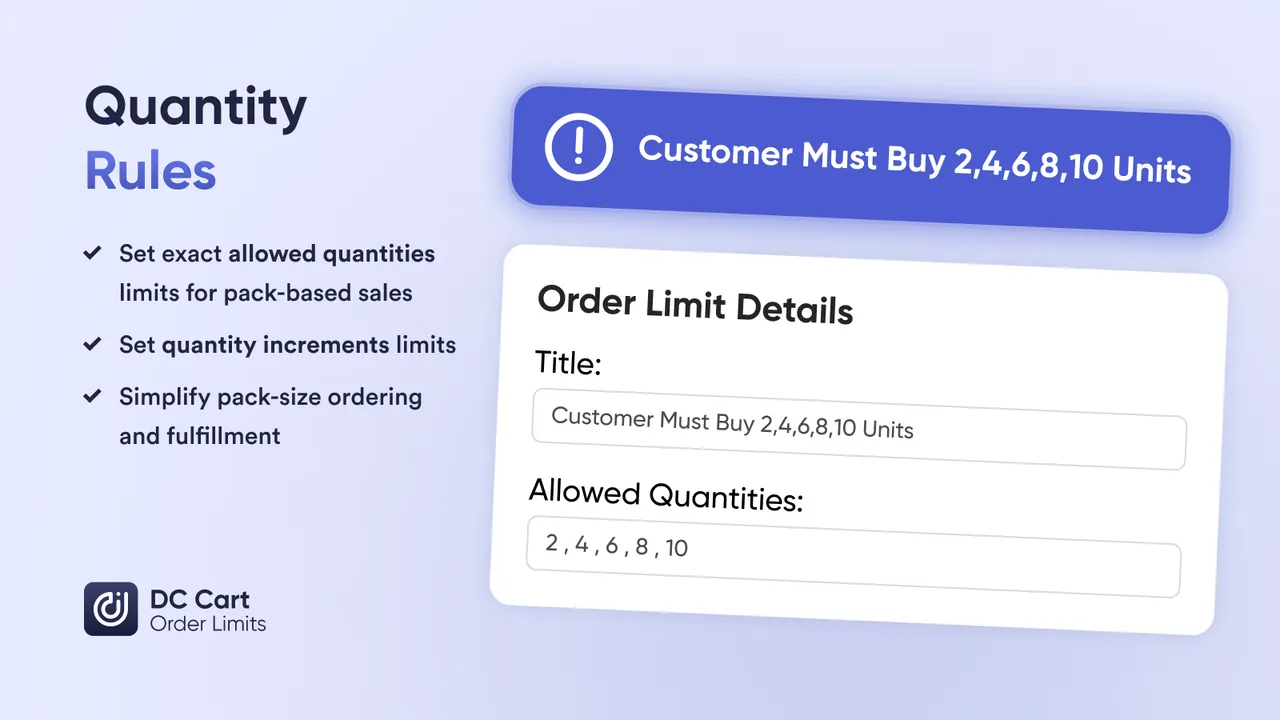
Min/max per product, variant, collection, or entire cart. Checkout blocks orders exceeding limits.
Price Limits
Minimum order value for wholesale accounts. Maximum order value to prevent fraud. Both enforced at checkout.
Weight Limits
Cap total order weight for shipping cost control. Orders exceeding weight limits cannot proceed.
Customer Caps
Lifetime limits tracked across orders. Customer who hit their cap are blocked at checkout.
Mixed Cart Blocks
Prevent incompatible products in the same order. Frozen + ambient, preorder + in-stock, subscription + one-time.
Customer Tag Rules
Different limits for different customers. Wholesale gets different checkout rules than retail.
How checkout validation works
Rules run on Shopify servers, not customer browsers
Step 1: Customer adds items to cart
Cart validation shows warnings if limits are approached. This is optional guidance to improve UX.
Step 2: Customer proceeds to checkout
Shopify sends the cart to our validation function running on Shopify servers.
Step 3: Rules are checked server-side
Our Shopify Function checks all active rules against the cart contents and customer history.
Step 4: Checkout proceeds or blocks
If rules pass, checkout continues. If violated, the customer sees an error and cannot complete the order.
Use Cases
When checkout validation is critical
Scenarios where you cannot afford bypasses
High-demand releases where determined buyers will try every workaround. Checkout validation stops them.
B2B accounts must meet MOQ requirements. Checkout ensures they cannot submit underweight orders.
Staff spend caps must be enforced. Checkout blocks orders that exceed monthly allowances.
Suspicious bulk orders are blocked before payment. No need to refund after the fact.
Weight limits for carrier restrictions. Mixed cart rules for cold chain or hazmat. Checkout ensures compliance.
One-per-customer limits that cannot be gamed. Checkout is the final gate that stops repeat buyers.
FAQs
Frequently asked questions
What is the difference between cart validation and checkout validation?
Cart validation shows error messages when customers add items to the cart. Checkout validation blocks the order at the final step if rules are violated. Checkout validation is the last line of defense — customers cannot complete purchase until they comply.
Can customers bypass checkout validation?
No. Checkout validation using Shopify Functions runs on Shopify servers, not in the browser. There is no way for customers to disable, modify, or bypass these rules. If the order violates a rule, checkout blocks it.
Do I need Shopify Plus for checkout validation?
No. DC Order Limits uses Shopify Functions (checkout extensibility), which works on all Shopify plans — Basic, Shopify, Advanced, and Plus. Checkout validation is not exclusive to Plus stores.
What happens to Shopify Scripts in June 2026?
Shopify Scripts stops working June 30, 2026, and full checkout extensibility auto-applies August 26, 2026. Apps using the old checkout.liquid or Scripts must migrate to Shopify Functions. DC Order Limits already uses Shopify Functions, so you are future-proof.
What types of rules can I enforce at checkout?
Quantity limits (min/max per product, collection, or cart), price limits (minimum order value), weight limits, customer purchase caps (lifetime or time-based), mixed cart restrictions, and customer tag-based rules. All are enforced at checkout.
What error message do customers see?
Customers see a clear message explaining why checkout is blocked and what they need to change. You can customize messages for each rule to match your brand voice.
Does checkout validation slow down my store?
No. Shopify Functions run on Shopify infrastructure, not your theme. They execute in milliseconds and do not add page load time. Performance impact is negligible.
Learn More
Related guides
Enforce rules that cannot be bypassed
Checkout validation using Shopify Functions ensures your limits are respected. Install DC Order Limits and future-proof your store before June 2026.