· Dash Checkout · security-and-fraud · 9 min read
How to stop shoppers from gaming free gift with purchase promotions on Shopify
Shoppers game gift-with-purchase promos by stacking the gift, dropping the qualifying item, or re-ordering for a second freebie. Quantity caps, mixed cart rules, and per-customer limits close all three.
Shoppers get around free gift with purchase promotions in three main ways: adding extra units of the gift item to their cart, removing the qualifying product once the gift has been added, and claiming the same gift again on a second order. Each one is stoppable with a rule that caps the gift’s quantity, ties it to the right product, and tracks redemptions per customer instead of per order.
We covered how to set up a free gift promotion in our guide to claiming free gifts on Shopify. This post is the other half of that story: how to run the same promotion without it quietly turning into a discount code for your most determined shoppers.
Why gift-with-purchase promos are easy to game
Shopify’s “Buy X Get Y” discount is built to grant a free item once a shopper meets a condition. It isn’t built to watch what happens after that. The discount checks the cart, applies the price adjustment, and moves on. It doesn’t cap how many of the gift product a shopper can add outside the discount itself. And if your gift is added as its own $0 or discounted line item, the way most gift apps and manual setups work, nothing removes the gift when the qualifying product leaves the cart.
That gap doesn’t show up during a quiet week. It shows up the day your gift is something people actually want. A limited-run tote, a sample-size version of a popular product, a seasonal add-on, and you’ll find a handful of orders where the “free” item wasn’t really earned.
Three ways shoppers get around the promo
Stacking the gift. The discount sets a quantity for the gift item, but a shopper can still add more of that same product to their cart as a separate line, at full price or sometimes at the discounted rate if the rule isn’t scoped tightly. Either way, they walk away with more free or cheap units than the promo intended.
Dropping the qualifying item. A shopper adds the product that unlocks the gift, lets the gift land in the cart, then removes the qualifying product before completing checkout. Shopify’s native Buy X Get Y discount recalculates when the cart changes, so in that setup the gift usually just reverts to full price. But when the gift is its own $0 or discounted line item, added by a gift app or a manual setup, removing the qualifier doesn’t remove the gift, and it ships without the purchase that was supposed to earn it.
Repeating the redemption. The promo resets every time someone starts a new cart. Nothing stops the same shopper from placing a second order, or a third, each one claiming the same “free with your first order” gift. If the promo is meant to be a one-time welcome gift, this is the pattern that costs the most over time.
Cap the gift product’s quantity
The simplest fix is also the first one worth setting up: a quantity limit on the gift product itself, separate from whatever the discount is doing.
- Open DC Order Limits in your Shopify admin and create a new rule.
- Under product eligibility, choose Selected products or Selected product variants and pick the gift item.
- Set Grouping to Product (or Product variant if the gift has more than one option) so the cap applies per item, not across your whole catalog.
- Under the quantity tab, set Maximum quantity to the number of gifts a shopper should be able to claim, usually 1.
- Set the rule’s scope to Both cart and checkout so the cap holds even if a shopper edits their cart right before paying.
- Save the rule.
This closes the stacking problem on its own. A shopper can still add more of the gift product, but checkout blocks them once they pass the cap and shows an error explaining the quantity limit.
Tie the gift to the qualifying item with a mixed cart rule
A quantity cap doesn’t know whether the gift was actually earned. For that, you need a rule that checks for the qualifying product too. This is what mixed cart limits are for: one product’s presence in the cart depends on another’s.
- Create a new mixed cart rule.
- Set the trigger product to the item that’s supposed to unlock the gift. You can pick a specific product, specific variants, or products with a qualifying tag.
- Set the target product to the gift item.
- Choose Require trigger products as the restriction type, and set the minimum quantity of the trigger product that must be present.
- Set the scope to Both cart and checkout.
- Save the rule.
Now if a shopper adds the gift and the qualifying product, then removes the qualifying product before paying, checkout blocks them until they add it back. The gift can’t exist in a valid cart on its own.
This setup works cleanly for promos tied to a specific product, like “buy this candle, get a free travel tin.” If your promo is based on a spend threshold instead, like “spend $60, get a free gift,” the quantity cap and the per-customer limit below still do most of the work, since the cart-value trigger itself is handled by Shopify’s native discount.
Stop repeat redemptions with a per-customer limit
Quantity caps and mixed cart rules both reset with every new cart. If your gift is meant to be claimed once per customer rather than once per order, you need a rule that remembers past orders.
- Create a new Customer Purchase Limits rule.
- Select the gift product under product eligibility.
- Set Maximum quantity to the total a customer should ever receive, usually 1.
- Under customer eligibility, decide how guest checkouts are handled. Dash Checkout tracks purchases by the email entered at checkout, so this works for logged-in customers and guests alike, without requiring an account.
- Save the rule.
Once a customer claims the gift on one order, the rule remembers it. If they try to add it again on a future order with the same email, checkout blocks the gift and explains why.
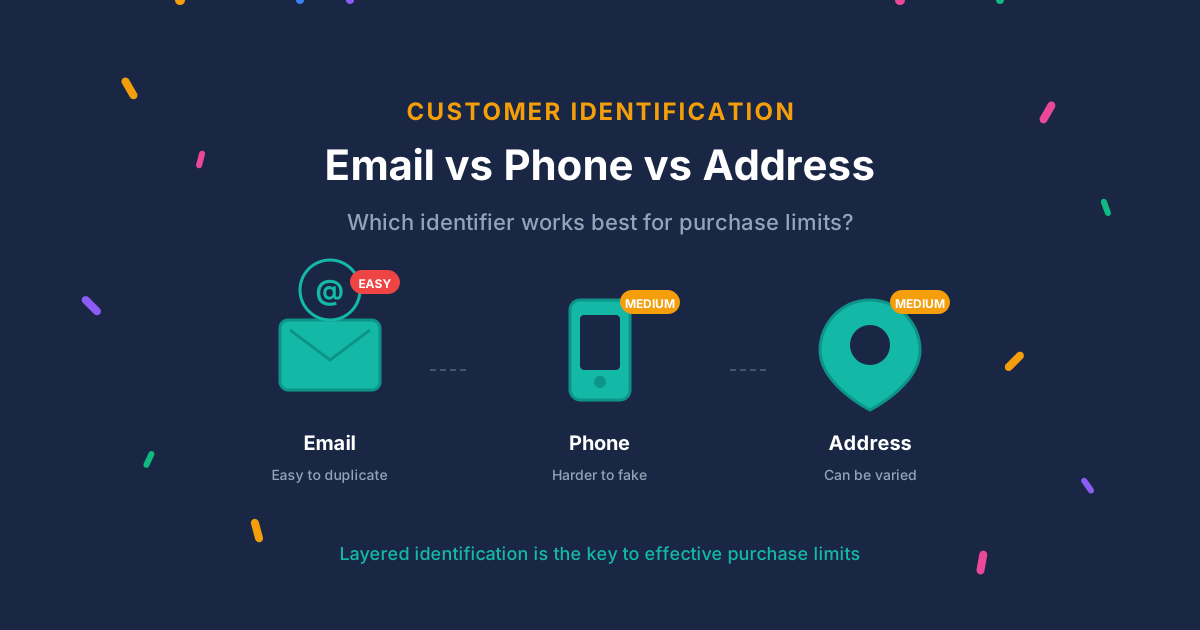
This isn’t bulletproof. A shopper determined to claim a gift twice can still use a different email address, and the rule tracks each email as a separate customer. But most repeat redemptions aren’t that deliberate. They’re shoppers who didn’t realize the gift was a one-time thing, or who assumed the cart would stop them if it mattered. A per-customer limit catches both.
What shoppers see when a rule blocks them
When a rule blocks checkout, the shopper sees an error built from the app’s message templates. The defaults explain the limit in plain terms, and each template covers every rule of its type, so there’s no per-rule message to write.
On the Pro plan you can edit these templates, and translate them, in the app’s locale settings. If you customize them, keep the wording general enough to fit every rule the template covers, and say what to do next. A shopper who reads “You’ve reached the limit for this item” knows to remove the extra unit, which turns a blocked checkout into a small moment of understanding instead of a support ticket.
What this looks like together
Say you run a candle shop offering a free travel-size candle with any order over $60. Stacked together, the rules work like this: a quantity cap keeps the travel candle at 1 per order even if someone tries to add two. A mixed cart rule isn’t strictly needed here since the promo is spend-based rather than product-based, so the quantity cap plus the per-customer limit cover it end to end. The per-customer limit makes sure the same shopper can’t claim the welcome gift again on their third or fourth order, while still letting regular customers shop freely in between.
For a product-tied promo, like “buy the gift set, get a free sample,” add the mixed cart rule on top. Now the sample can’t exist in a cart without the gift set that earned it, on top of the quantity cap and the lifetime limit.
None of these rules touch your discount setup. The “Buy X Get Y” discount still handles the price adjustment. Dash Checkout just makes sure the cart earning that adjustment is the one you intended.
Try it on your store
Quantity caps and mixed cart rules run through DC Order Limits, and per-customer tracking lives in Customer Purchase Limits. Quantity limits are available on the app’s free plan and work on any Shopify plan, no Plus required. Per-customer tracking and mixed cart rules are part of the Pro plan.
Install DC Order Limits from the Shopify App Store and set up your gift product’s rules in about 10 minutes.
Frequently asked questions
Can Shopify’s native discounts stop gift-with-purchase abuse on their own?
Not fully. “Buy X Get Y” discounts apply the price adjustment when a cart meets the condition, but they don’t cap how many gifts a shopper can add outside the discount’s own quantity field, and they don’t remember what a shopper claimed on a past order. A separate quantity limit and per-customer limit cover both gaps.
Does this work if the free gift promo is based on cart spend instead of a specific product?
Yes. A quantity cap on the gift product and a per-customer lifetime limit both work regardless of how the discount is triggered. The mixed cart rule that requires a specific trigger product is only needed when the promo is tied to buying a specific item, not a spend threshold.
Do per-customer limits work for guest checkout?
Yes. Dash Checkout tracks purchases by the email address entered at checkout, so the limit applies to guests and logged-in customers the same way. The tradeoff is that a shopper using a different email each time is tracked as a new customer.
Will blocking a stacked gift also block the rest of the order?
No. The rule only blocks checkout while the cart violates it. Once the shopper removes the extra gift or adds the qualifying product back, checkout proceeds normally.
Do I need Shopify Plus to set this up?
No. Quantity limits, mixed cart rules, and customer purchase limits all run through a public app using Shopify Functions, which works on every Shopify plan.