· Zayd Khan · order-limits · 12 min read
How to limit purchases for blind box and mystery drops on Shopify
Blind box and mystery drops sell out to resellers in minutes when one buyer can grab unlimited boxes. Here is how to set per-order, per-customer, and lifetime purchase limits so real collectors get a fair shot.
A mystery box drop goes live at noon. By 12:03, the 200-unit batch of blind box figures is gone, and a handful of the rare “chase” pulls are already relisted on resale apps for several times retail. The collectors who waited weeks for this release never got past “sold out.”
The short answer: limit how many boxes a single customer can buy, and make that limit track across their entire order history rather than just their current cart. Set a per-order cap (so one checkout can’t drain your stock), a per-customer limit that persists across multiple orders, and for true one-time drops, a lifetime limit on the product. Scope all three to the specific mystery box product (or a tag you add to every box in the drop) so your regular catalog stays unrestricted. The rest of this guide walks through why blind box drops are harder to protect than a normal product launch, and exactly how to set these limits up.
Why blind box and mystery drops attract bulk buyers
Blind box and mystery products have a built-in incentive to buy more than one. You don’t know what’s inside until you open it, and most lines include a small number of rare or “secret” variants mixed into a much larger run of common ones. Buying 10 boxes instead of 1 meaningfully improves someone’s odds of pulling the rare figure, the limited colorway, or the signed card. That’s true for designer toy blind boxes, trading card mystery packs, and grab-bag bundles alike.
That same mechanic is exactly what resellers exploit. A buyer who grabs a case of boxes wants to extract the rare pulls and flip them, then resell or return the commons. Unlike a straightforward limited-edition sneaker drop, where every unit is identical and a basic quantity cap solves most of the problem, a blind box drop rewards bulk buying. That makes per-customer limits even more important here than for a typical product launch.
If you also sell trading cards or run flat limited-release drops, our guides on stopping scalpers in a trading card shop and preventing bots from buying out a Shopify drop cover those mechanics in more depth. This guide focuses on what’s different about blind box and mystery-item drops specifically.
What Shopify gives you natively
Shopify’s only built-in option is the add-to-cart limit, found under Settings > Checkout. It caps how many units a customer can add to a single cart.
This helps, but it has a gap that matters a lot for blind box drops: it resets with every order. A buyer hits the cart limit, checks out, then immediately starts a new cart and buys again. Nothing stops them from repeating that a dozen times in the same hour, especially if they’re using a script or just refreshing the page between checkouts.
For a drop where the whole point is limiting access to rare pulls, a limit that resets every few minutes doesn’t do much. You need something that remembers what a customer has already bought, not just what’s in their current cart.
Three limits that work together for a blind box drop
1. Per-order quantity limit
Set a reasonable cap on how many boxes can go in a single order, for example 4. This stops someone from clearing a big chunk of inventory in one checkout and keeps the limit from blocking people buying a few boxes as gifts.
2. Per-customer purchase limit
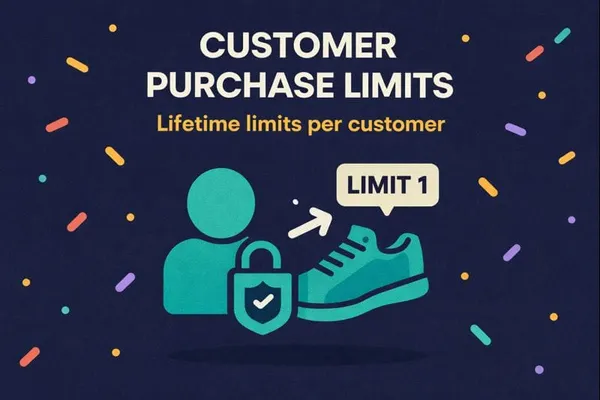
This is the one that actually matters for blind box drops. A customer purchase limit tracks how many units a specific customer has bought across all of their orders, not just the current one. Set it to 2 or 3 boxes per customer, and that customer cannot buy more, whether they try again in the same minute or come back an hour later with a fresh cart.
Customer Purchase Limits in DC Order Limits handles exactly this. It tracks purchase history by customer, so the limit doesn’t reset when an order completes.
3. Lifetime limit for one-time or ultra-limited drops
If this is a single release that won’t restock, for example a collaboration figure or a one-off mystery bundle, use a lifetime purchase limit instead of a time-boxed one. Once a customer hits the cap, they’re done for that product, permanently. For recurring blind box releases (a monthly mystery box line, for instance), a limit scoped to each drop works better than a true lifetime cap. You can reset limits between drops manually or automate resets with Shopify Flow.
How to set it up
Step 1: Tag your drop products. Apply a consistent tag, like mystery-drop or blind-box-nov26, to the products in this release. This lets you scope your rule precisely instead of applying it store-wide.
Step 2: Create a standard quantity limit for the per-order cap. This is a regular order limit rule (available on the free plan): scope it to your drop tag and set a maximum quantity per order, for example 4 boxes per checkout.
Step 3: Create a Customer Purchase Limit rule. In DC Order Limits, go to Customer Purchase Limits and start a new rule. Select the product, or the tag you added to every box in the drop (the app targets products, variants, and product tags, not collections).
Step 4: Set the per-customer quantity and grouping. This is the number that tracks across orders, for example 2 or 3. Pick “Any Item” grouping to share one cap across every product the rule covers, which is usually what you want for a drop. Per-product or per-variant grouping gives each box its own separate cap instead. The count keeps accumulating until you reset it, so a one-time release needs nothing extra. For a recurring line, reset limits between drops manually or with Shopify Flow, and use the rule’s start and end dates to keep it active only while the drop runs.
Step 5: Decide how to handle guest checkout. The app matches the email entered at checkout to your store’s customer record, so a returning buyer who checks out as a guest with the same email still hits their limit. No login is required for that. A buyer using a brand-new email has no record to match, though, and the rule’s guest setting decides what happens: allow the order or block guests entirely. For an ultra-limited drop, blocking guests (or requiring accounts) closes the rotating-email workaround.
Step 6: Write a clear error message. When someone hits the limit, DC Order Limits blocks the order and shows a message you control. Something like: “Limit 2 per customer so more collectors get a pull. You’ve reached your limit for this drop.” A message that explains the fairness reasoning gets far fewer confused support tickets than a generic error.
Step 7: Test it before launch. Place a test order with a test account, hit the limit, then try to check out again. Confirm the block happens at checkout, not just as a cart warning, since cart-only warnings can usually be bypassed.
Drop-day tactics specific to blind box releases
A few extra moves help on the day of a mystery box drop, beyond the purchase limit itself:
- Don’t publish the exact drop time publicly until close to launch. Scripts and resellers watch for scheduled drops. A shorter notice window gives them less time to prepare automated checkouts.
- Keep your per-order cap low even if demand is uncertain. It’s easier to raise a cap mid-drop if sales are slow than to deal with a sellout to a small number of buyers.
- Review orders placed in the first few minutes. Look for patterns like several orders from the same shipping address with minor variations, or back-to-back orders seconds apart. You can cancel suspicious orders before fulfillment.
- Publish your limit policy ahead of time. A short note on the product page, something like “Limited to 2 boxes per customer to keep this fair for the whole community,” sets expectations and signals that you’re protecting access for collectors.
For broader anti-bot tactics like CAPTCHA, password-protected drop pages, and checkout friction, see our guide on preventing bots from buying out a Shopify drop. Purchase limits are the foundation, and those tactics layer on top of it.
A note on odds and fairness
Blind box buyers are unusually sensitive to fairness, more so than buyers of standard limited releases. The community around designer toys and mystery collectibles pays close attention to how drops are run, and a store seen as letting a few accounts buy out the rare pulls loses trust fast. Being upfront about your per-customer limit, and holding to it consistently every drop, tends to matter as much to this audience as the limit itself.
Getting started
Shopify’s native cart limit resets after every order, which isn’t enough for a product category built around randomized rare pulls. A real solution needs a per-order cap to stop single-checkout buyouts, a per-customer limit that tracks across orders, and for one-time releases, a lifetime cap, all scoped to just the drop products.
Customer Purchase Limits in DC Order Limits covers all three, works on both cart and checkout, and doesn’t require Shopify Plus. Basic per-order quantity limits are available on the free plan. Customer purchase limits and lifetime limits, the ones that actually stop the bulk-buying behind blind box resale, are part of the Pro plan at $14 a month.
Frequently asked questions
How many mystery boxes can one customer buy on Shopify by default?
Without any extra setup, there’s no real cap. Shopify’s native add-to-cart limit only applies to a single order and resets as soon as that order completes, so a customer can place as many separate orders as they want. Setting an actual per-customer limit requires a purchase-limit app like DC Order Limits.
What’s the difference between a cart limit and a customer purchase limit?
A cart limit (Shopify’s native option) only looks at the current order and resets every time a customer checks out. A customer purchase limit tracks how many units someone has bought across all their orders and keeps enforcing the cap until it resets or the product sells out.
Do purchase limits work for guest checkout on a blind box drop?
Mostly, yes. DC Order Limits matches the email entered at checkout to your store’s customer record, so a returning buyer hits their limit without logging in. A buyer checking out with a brand-new email has no record to match, so each rule has a guest setting that either allows those orders or blocks guests entirely. Blocking guests is the stricter choice for limited drops.
Should the limit be per order, per drop, or lifetime?
It depends on the release. Use a per-order cap on every drop to stop single-checkout buyouts. Add a per-customer limit scoped to the drop for recurring mystery box lines. Use a lifetime limit only for one-time releases that won’t restock.
Will limiting quantity hurt total sales on my drop?
Usually not. A lower per-customer cap spreads the same inventory across more buyers rather than reducing how much sells. Most merchants running drops find the product still sells out, just to more people instead of fewer.
Do I need Shopify Plus to set purchase limits per customer?
No. Checkout validation through apps works on every Shopify plan, and DC Order Limits runs on standard plans. A development team could build similar logic with Shopify’s Cart and Checkout Validation Function API, but that means writing and maintaining custom code.
Install DC Order Limits on the Shopify App Store and set up your first drop limit before your next release.