· Zayd Khan · security-and-fraud · 5 min read
Cart scraping is draining your Shopify inventory data: how to stop it in 2026
Bots are scraping your Shopify inventory levels right now. Learn how competitors exploit this data and how to block them with purchase limits.
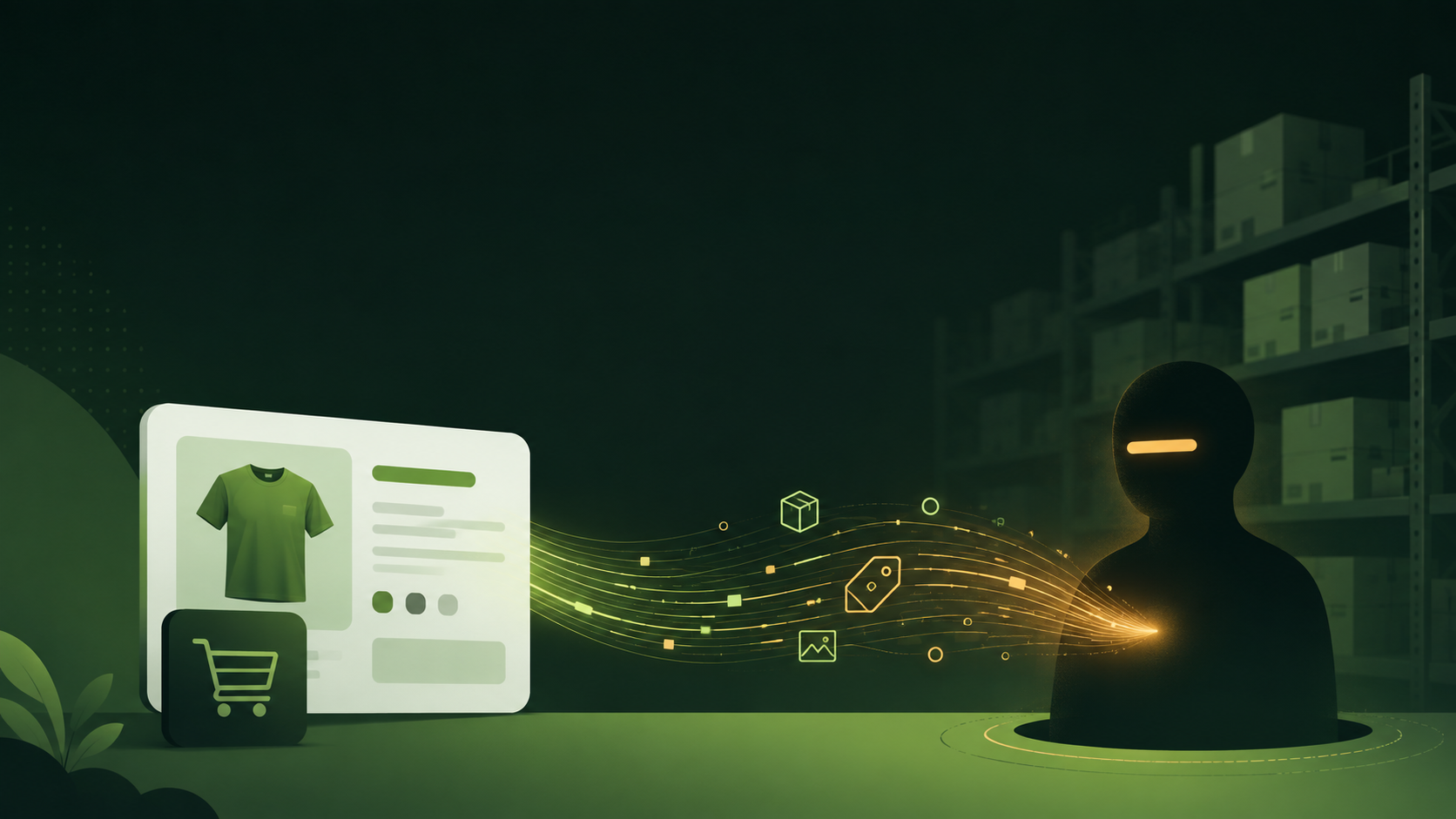
A competitor knows exactly how many units of your best-selling product are in stock right now. They didn’t hack your store. They didn’t bribe a warehouse worker. They used a URL.
This happens to thousands of Shopify stores every day. Bots add 999,999 units to a cart, read the error message, and extract your precise inventory number. The whole process takes less than a second per product.
We first noticed this when merchants started reporting strange function errors. Shopify’s newer logs showed bots maxing out quantity fields across entire catalogs, triggering input size limits. These weren’t customers making mistakes. These were automated scripts systematically mapping inventory across competitor stores.
How inventory scraping works
The technique exploits how Shopify carts handle quantity limits. Every product variant has an ID. If you know the ID, you can construct a cart URL with any quantity:
https://yourstore.com/cart/47801157083378:999999When you visit that URL, Shopify tries to add 999,999 units. It can’t, so it shows an error with the actual available quantity. That message might say “Only 847 available” or redirect to a cart showing the maximum amount. Either way, the bot now knows exactly how much stock you have.
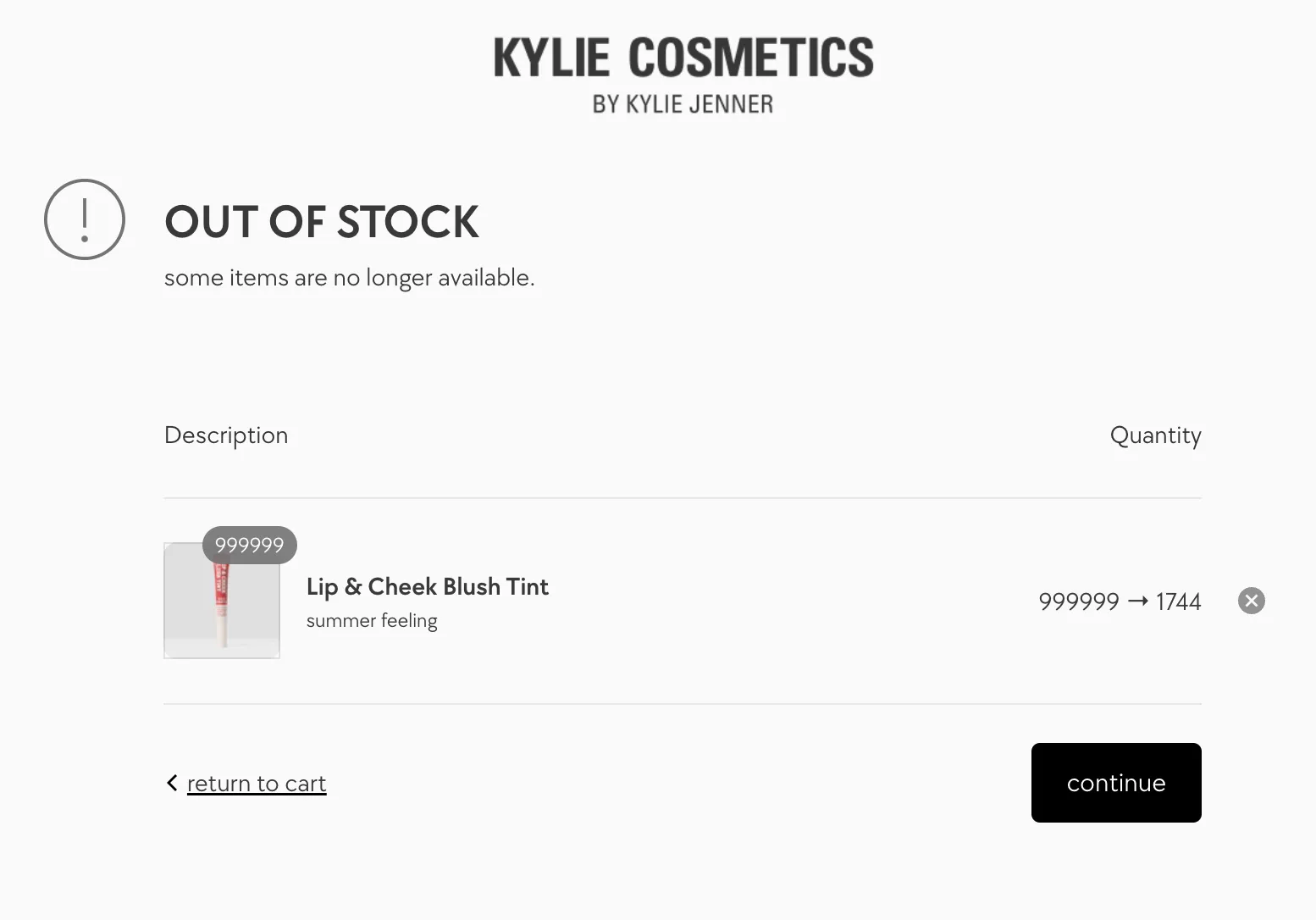
Scraping scripts hit every variant in your catalog this way. A store with 200 products and 5 variants each means 1,000 requests. At one request per second, that’s under 17 minutes to map your entire inventory. Distributed across multiple IP addresses, it’s even faster.
Why competitors want your inventory data
This data drives real business intelligence:
Sales velocity tracking. By scraping your inventory daily or weekly, competitors calculate exactly how fast each product sells. They know your bestsellers before you publish a “Top Sellers” collection. They can see which marketing campaigns drive actual purchases by correlating inventory drops with your ad launches or email campaigns.
Restock pattern analysis. Regular scraping reveals when you receive new inventory and how much arrives at a time. Competitors learn your supplier relationships, lead times, and cash flow patterns. A store that restocks weekly in small batches looks different from one that orders quarterly in bulk.
Competitive timing. When your inventory gets low, competitors know you’re vulnerable. They can ramp up ads targeting your keywords, knowing your customers might face out-of-stock messages. Some sellers specifically wait for competitors to run low before pushing promotions.
Price optimization. Low inventory often signals high demand. Competitors use this to justify premium pricing on similar products, or to undercut you when they see stock piling up, indicating weaker sales.
Cart scraping has evolved
The basic URL technique has been around for years. What’s changed in 2025-2026 is the infrastructure around it.
Commercial scraping services. You can now subscribe to services that monitor competitor Shopify stores automatically. They track inventory levels, pricing changes, and product launches. Reports arrive daily in a dashboard. No technical skills needed.
Aggregated industry data. Some operators scrape hundreds of stores in a category and sell the combined insights. A buyer can purchase a report showing inventory trends across the entire niche, including your store’s contribution to that data.
AI-powered analysis. The raw numbers now feed into models that predict restocking windows, estimate your revenue, and identify seasonal patterns. A competitor doesn’t just know you have 847 units today. They know you’ll probably need to reorder in two weeks based on your sales velocity.
Browser extension scrapers. Some tools disguise themselves as competitive research tools. A user visits your store normally while the extension quietly records inventory data in the background. This traffic looks exactly like a regular customer browsing.
How purchase limits block scrapers
Order limits change what scrapers can extract. Instead of learning you have exactly 847 units, they learn you allow 20 units per order. That’s not useful intelligence.
When a bot tries to add 999,999 units to a cart with a limit of 20, it just gets added to cart with 20 units. No error message revealing inventory. No “only X available” disclosure. The data extraction fails.
DC Order Limits enforces this at checkout through Shopify functions. Even if someone manipulates the cart quantity through the API or custom scripts, the checkout function validates and adjusts quantities before the order processes. The protection works regardless of how the request arrives.
Setting up protection takes a few minutes:
- Install DC Order Limits from the Shopify App Store
- Create a Maximum Quantity rule
- Set a reasonable limit (10-20 works for most products)
- Apply to all products or specific collections
For products you want to protect most aggressively, use lower limits. For wholesale or B2B products where large orders make sense, use higher limits or exclude them from the rule.
Combine limits with smart inventory settings
There’s another layer you can add: Shopify’s “Continue selling when out of stock” option combined with inventory reserves.
The idea: set products to keep selling until inventory drops below a threshold like 25 units. When you’re at 30 units, scrapers still see the product as in stock with quantities available. They can’t get an exact number because the “sold out” error never triggers.
You can automate this with Shopify Flow:
- When inventory falls below 25, turn off “Continue selling”
- When new inventory arrives, turn it back on
This creates a buffer zone where exact inventory counts aren’t extractable. Scrapers know you have “some stock” but not how much.
The case for acting now
Cart scraping becomes more damaging during high-stakes periods. Your BFCM strategy, holiday pricing, and limited drop plans are all visible to anyone watching your inventory move.
A competitor who’s been scraping you for months knows:
- Which products sold out fastest last year
- When you typically restock before major sales
- Which new products are gaining traction
- How aggressive your discounting needs to be based on surplus inventory
This information shapes how they price, when they launch campaigns, and where they focus ad spend. You’re funding their competitive intelligence without realizing it.
Setting up purchase limits takes 5 minutes. Once configured, they protect every product automatically. The scrapers still visit your store, but they leave with nothing useful.
Running a limited release soon? Cart limits are your first line of defense. For high-demand drops, add customer purchase limits that track buying behavior across orders and prevent the same buyer from placing multiple orders.