· Dash Checkout · order-limits · 6 min read
Shopify's new checkout defaults: what email-only contact means for purchase limits
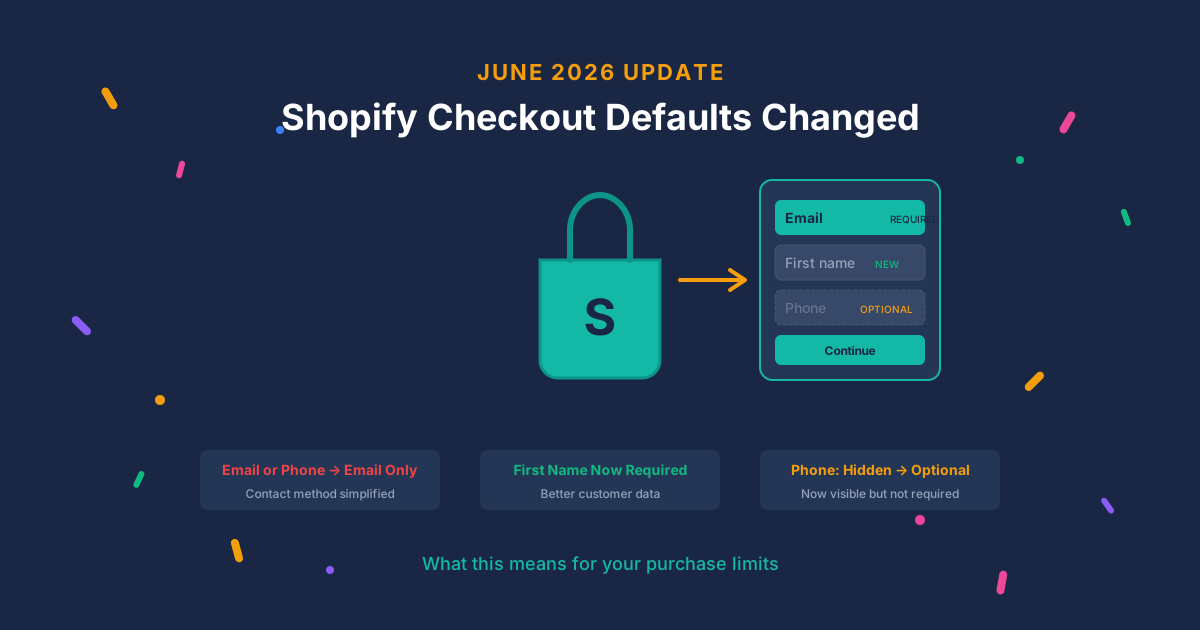
Shopify just changed default checkout fields for non-Plus merchants. Email is now the only contact method. Phone is visible but optional. Here is what this means for your purchase limits.
Last week we covered which customer identifiers work best for purchase limits. Three days later, Shopify changed the defaults for one of them.
Here’s what happened and what you should do about it.
What changed
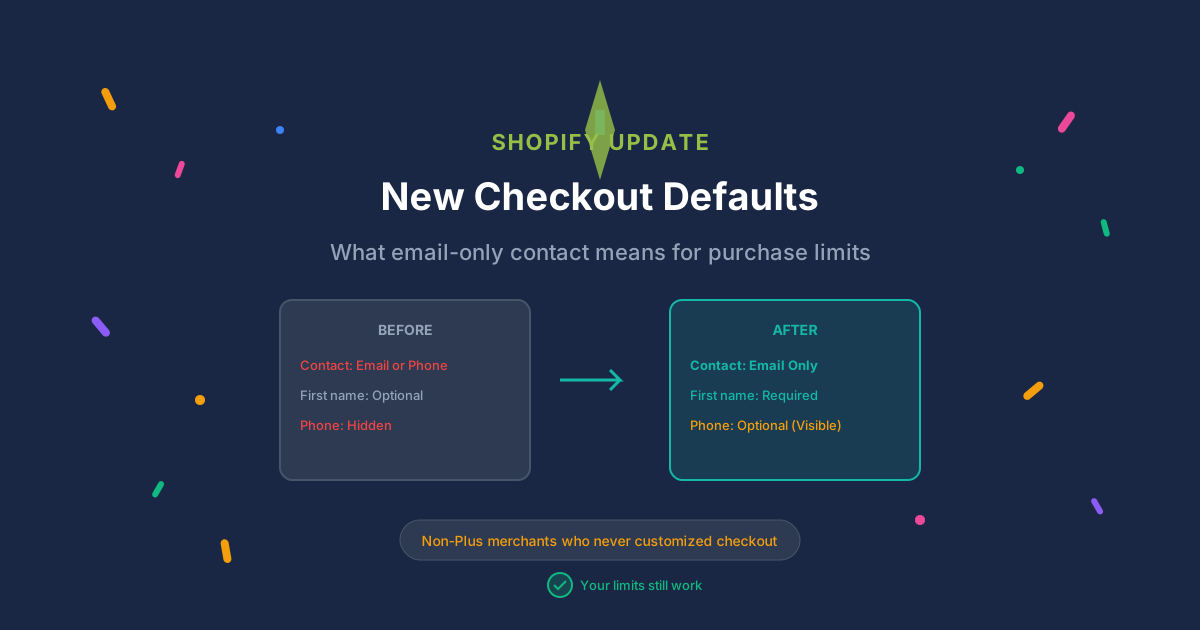
Shopify is updating default checkout field settings for non-Plus merchants this week:
| Field | Old Default | New Default |
|---|---|---|
| Contact method | Email or phone | Email only |
| First name | Optional | Required |
| Phone number | Hidden | Optional (visible) |
Who gets auto-updated: Non-Plus merchants who never customized their checkout fields. If you’ve partially customized your checkout, only the unchanged fields get updated. Plus merchants aren’t affected.
What stays the same: Shopify confirmed no changes to checkout APIs or how apps integrate. Your cart validation and order limits work exactly as before.
Why email-only weakens guest checkout
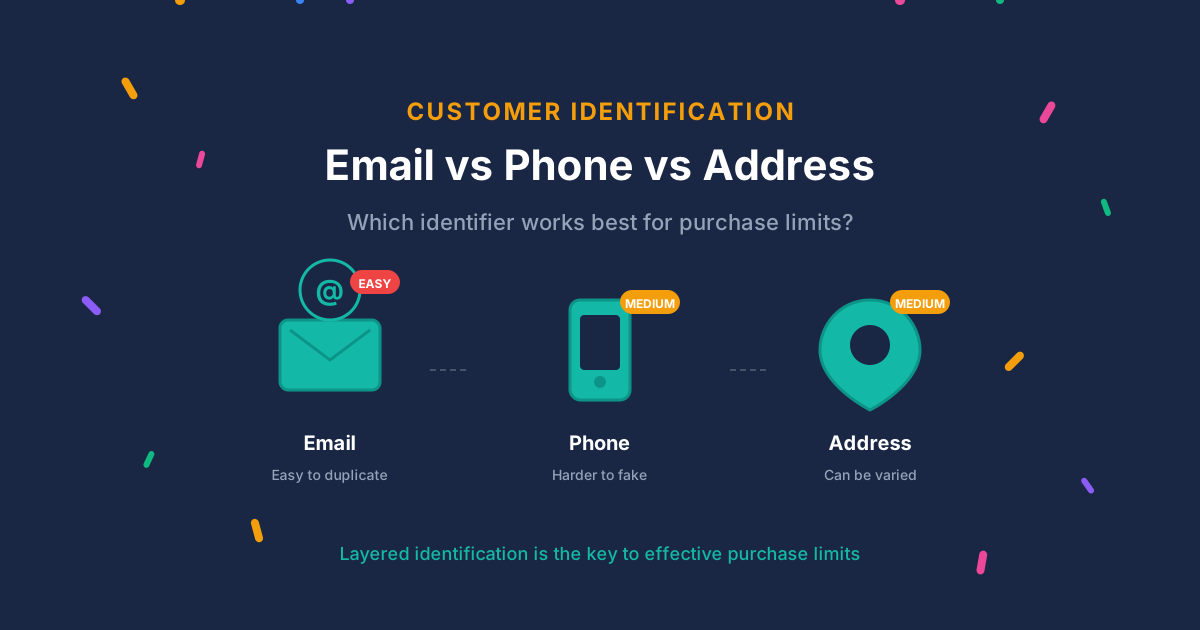
In our previous post, we documented that email is the weakest identifier for purchase limits. Gmail aliases alone reduced 46,000 addresses to just 291 unique accounts after normalization. Disposable email services make creating new addresses trivial.
Previously, when customers could choose “email or phone” as their contact method, some chose phone. That gave merchants a secondary data point, even if they weren’t explicitly collecting it for limits.
Now email is the only contact method. Guest checkouts are tracked purely by the weakest identifier unless you take action.
This doesn’t break your limits. It just means the path of least resistance for bypassing them got slightly easier.
Phone visible but optional is not enough
The good news: phone numbers are now visible by default instead of hidden. More customers will see the field.
The bad news: optional means customers can skip it. And they will.
For purchase limits to use phone numbers effectively, the phone field needs to be required, not optional. An optional field that most customers skip doesn’t give you a usable identifier.
Here’s the reality:
- Hidden phone field: 0% of customers provide phone numbers
- Optional (visible) phone field: Maybe 20-30% provide phone numbers
- Required phone field: 100% provide phone numbers (with some cart abandonment)
If you want phone-based limits, optional isn’t enough. You need to make the field required, which means accepting some friction.
The trade-off is real. Mobile checkout already has an 85% cart abandonment rate. Adding required fields makes it worse. Whether the fraud prevention benefit outweighs the conversion cost depends on what you’re selling.
What about required first name?
First name moving from optional to required has minimal impact on purchase limits.
Names aren’t unique identifiers. There are thousands of customers named “John” or “Sarah.” And nothing stops someone from entering “John” on one order and “Johnny” on the next.
The marginal benefit: requiring first name slightly improves pattern detection. Fraudsters using automated tools often leave optional fields empty, so required fields force more effort. But anyone willing to create a second email won’t be stopped by typing a first name.
What merchants should do now
Step 1: Check if you were auto-updated.
Go to Settings → Checkout → Customer information in your Shopify admin. Look at your contact method and phone number settings. If you see “Email only” and phone as “Optional,” you’ve been updated.
Step 2: For limited or high-value products, make phone required.
If you run purchase limits on specific products, consider making phone required for those checkouts. This significantly raises the bar for bypass attempts, especially combined with VoIP detection.
Path: Settings → Checkout → Customer information → Phone number → Required
Step 3: For products with purchase limits, require login.
Guest checkout with email-only contact is now the weakest configuration for enforcing limits. If a product has a customer purchase limit, require login. Logged-in customers at least provide a consistent identifier across orders.
In DC Order Limits, you can require login only for specific products or collections without affecting your entire store.
Step 4: Ensure email normalization is active.
If your limits app normalizes email addresses (stripping Gmail plus tags and dots, blocking disposable domains), confirm it’s enabled. With email as the only contact method for most orders, normalization matters more than ever.
Step 5: Consider address clustering as a secondary signal.
Phone collection will likely decrease under the new defaults. Address-based detection becomes more valuable as a secondary signal for catching repeat purchasers.
Why Shopify made this change
This isn’t a security decision. It’s a simplification and ecosystem play.
Simpler checkout. “Email or phone” presents a choice that adds friction. A single email field is cleaner.
Shop Pay alignment. Shopify wants customers in their ecosystem. Shop Pay creates accounts tied to email. Email as the universal identifier feeds customers toward Shop Pay registration.
Wallet-first future. Apple Pay, Google Pay, and Shop Pay all bypass traditional checkout fields. These methods provide verified email from the payment provider. The email default is a fallback for shoppers who don’t use wallets.
Operational reality. Email works everywhere without carrier dependencies, international SMS costs, or country-specific formatting. Phone handling requires more infrastructure.
Impact by merchant type
| Merchant Type | Impact | Recommended Action |
|---|---|---|
| Non-Plus, guest checkout, limited products | High | Require login OR make phone required |
| Non-Plus, requires login | Low | Consider adding phone as secondary signal |
| Plus merchants | None | Not affected by these defaults |
Does this affect DC Order Limits?
No. Your limits work exactly the same way they did before.
We track purchase history by customer account for logged-in customers and by email address for guest checkouts. That hasn’t changed. Shopify’s contact method change doesn’t affect how we identify customers or enforce limits.
What might change is customer behavior. With phone as a contact method removed, some customers who previously chose phone contact will now use email. For limits purposes, this is neutral, they still need to provide an email to check out.
If you’re using guest checkout with purchase limits, consider the recommendations above. The combination of email-only contact and optional phone means guest checkout identification is at its weakest point.
The bottom line
Shopify’s checkout defaults just got simpler for customers and slightly weaker for fraud prevention. That’s a trade-off Shopify made for UX reasons.
For most merchants, no action is needed. Your limits still work.
For merchants running limited drops, high-value products, or anything that attracts resellers: review your checkout settings. Make phone required for those products. Or better yet, require login so you can track purchase history reliably.
The advice from our previous post still stands: layer multiple identifiers, normalize emails, and accept that perfect enforcement isn’t possible. Design promotions that work even when some customers find workarounds.
Learn more about customer purchase limits or contact us if you have questions about your specific setup.