· Arbab Khan · order-limits · 6 min read
Shopify's new checkout defaults: what the June 2026 update means for purchase limits
Shopify just changed three checkout field defaults for non-Plus merchants. One makes guest checkout weaker for limits. Another creates an opportunity. Here is what you need to know.
Last week we covered which customer identifiers work best for purchase limits. The timing turned out to be perfect: Shopify just changed checkout field defaults in a way that affects how those identifiers are collected.
Here’s what changed, who’s affected, and what you should do about it.
What Shopify changed
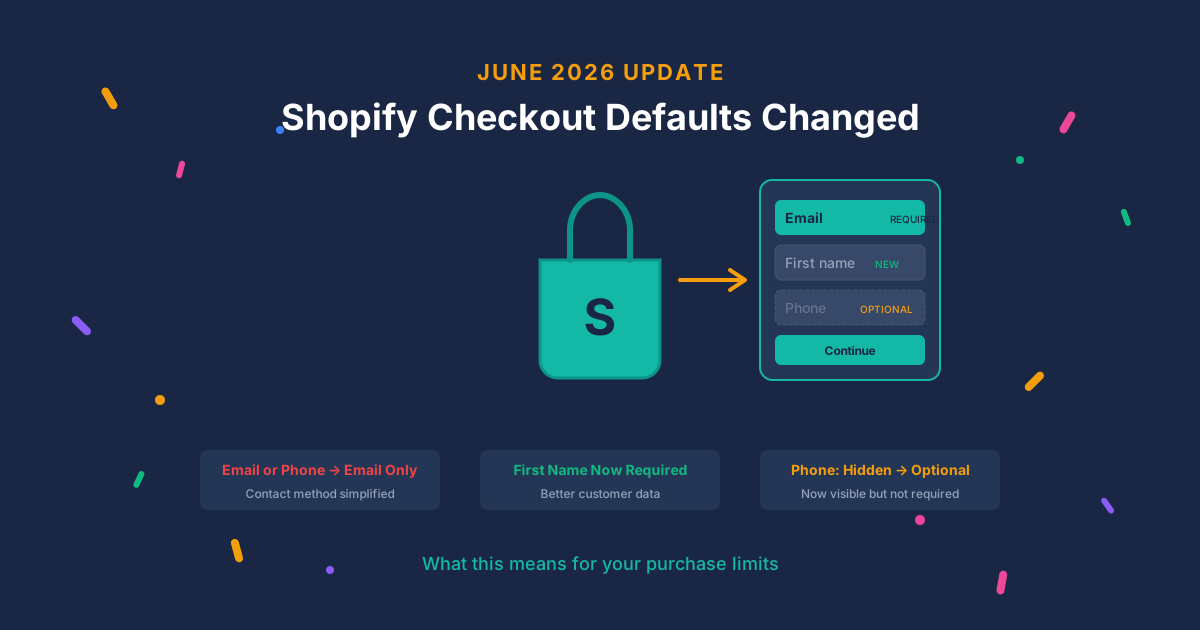
Three default checkout field settings are changing for non-Plus merchants:
| Field | Before | After |
|---|---|---|
| Contact method | Email or phone | Email only |
| First name | Optional | Required |
| Phone number | Hidden | Optional (visible) |
Who gets auto-updated: Non-Plus merchants who never customized their checkout fields. If you partially customized your checkout, only the unchanged fields get updated. Plus merchants are not affected.
Impact on order limit apps: None directly. Shopify confirmed no changes to checkout APIs or how apps integrate. DC Order Limits and other apps work exactly the same way they did before.
But the data you collect may change, and that matters for purchase limits.
Why email-only weakens guest checkout
The shift from “email or phone” to “email only” as the contact method removes a secondary data point.
Previously, some customers chose phone as their contact method. Even if a merchant wasn’t actively using phone for limits, having that data provided a cross-reference. Same phone across multiple “different” emails? That’s a flag.
Now, email is the sole contact identifier for guest checkouts by default.
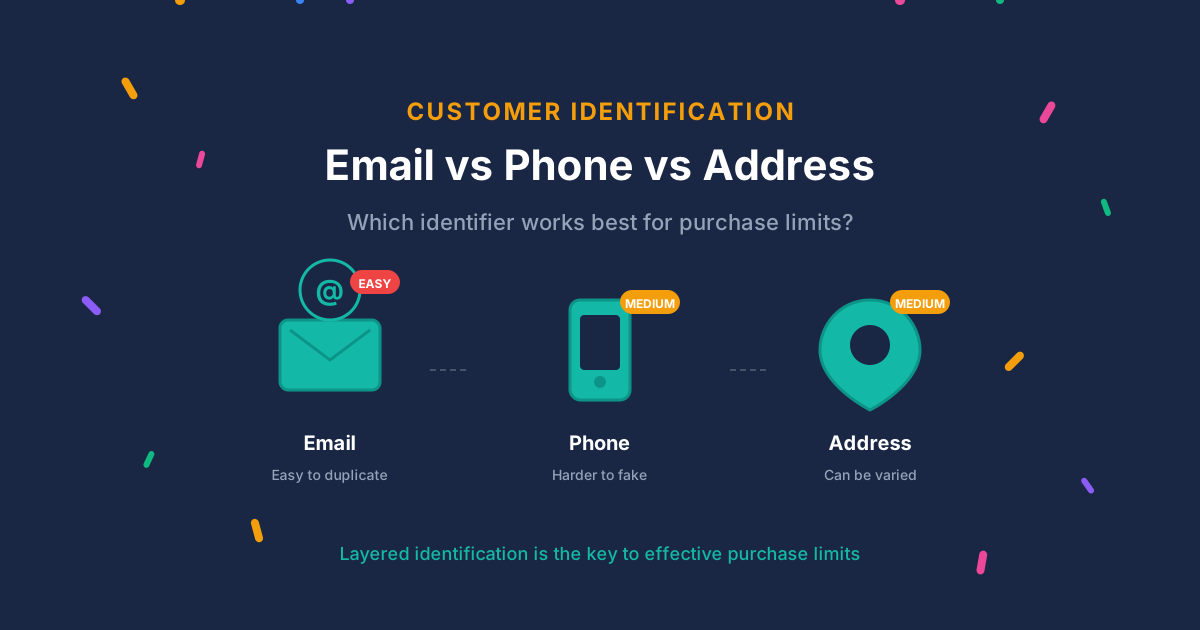
As we covered in the previous post, email is the weakest identifier for purchase limits:
- Gmail aliases (john+shop1@gmail.com) all route to the same inbox
- Gmail ignores dots (j.o.h.n@gmail.com = john@gmail.com)
- Disposable email services provide unlimited temporary addresses
- Creating a new email account takes 30 seconds
With email as the only identifier for guest checkout, bypassing limits becomes trivially easy for anyone willing to use a different email address.
Phone visible but optional is not enough
Here’s the part that looks like good news: phone numbers are now visible by default instead of hidden.
But “optional (visible)” does not mean “collected.” Customers can see the field and skip it. If someone wants to bypass your purchase limits, they will definitely skip it.
For phone-based limits to work, phone must be required, not optional. An optional field provides no enforcement mechanism.
The trade-off: requiring phone adds checkout friction. Mobile checkout already has an 85% cart abandonment rate. Every additional required field costs conversions.
For most products, that trade-off isn’t worth it. But for high-value limited drops where reseller abuse is a real problem, requiring phone (with VoIP detection) significantly raises the bar.
First name required: marginal benefit
First name moving from optional to required provides minimal help for purchase limits.
- First names are not unique identifiers
- Nothing stops someone from entering “John” on order one and “Johnny” on order two
- Order limit apps track by email or customer account, not name
The main benefit is slightly better data for pattern detection. Multiple orders to the same address with suspiciously similar names might be worth reviewing. But this change alone does not strengthen limits.
What you should do now
1. Check your current checkout settings
Go to Settings > Checkout > Customer information in your Shopify admin. Verify what fields are visible, optional, or required.
If you never customized these settings, they may have already changed. If you previously customized them, your settings were preserved.
2. For limited or high-value products: consider requiring phone
If you run limited drops or sell products with high resale value, make phone required instead of optional.
Path: Settings > Checkout > Customer information > Phone number > Required
This adds friction, but it also adds a harder-to-fake identifier. Combined with VoIP detection (blocking Google Voice and other virtual numbers), phone verification catches many bypass attempts.
3. For products with purchase limits: require login
Guest checkout with email-only contact is now the weakest possible configuration for purchase limits.
If a product has purchase limits that matter to your business, require customers to log in. Logged-in customers have a persistent account that tracks purchase history across sessions.
In DC Order Limits, you can require login for specific products or your entire store. This is the single most effective way to strengthen limits.
4. Ensure email normalization is enabled
If you must use email as the primary identifier, normalization is essential:
- Strip Gmail plus tags (john+shop@gmail.com → john@gmail.com)
- Remove Gmail dots (j.o.h.n@gmail.com → john@gmail.com)
- Block known disposable email domains
DC Order Limits handles this automatically. If you use a different solution, verify that normalization is active.
5. Consider address clustering as a secondary signal
With phone collection potentially declining (it’s optional by default), shipping address becomes more valuable as a secondary identifier.
Address standardization catches obvious variations (123 Main St vs 123 Main Street). Post-purchase review can flag multiple orders to the same address from “different” customers.
Why Shopify made this change
This is not a security decision. It’s a UX and strategy decision.
Simplification. Email is the universal identifier for online commerce. “Email or phone” presented a choice that added friction. A single email field is cleaner.
Shop Pay alignment. Shopify wants customers in their ecosystem. Shop Pay creates accounts tied to email. Email as the default contact feeds customers toward Shop Pay registration.
Wallet-first trend. Apple Pay, Google Pay, and Shop Pay bypass traditional checkout fields entirely. These methods provide verified email from the payment provider. The email default is a fallback for shoppers who don’t use wallet checkout.
Impact summary by merchant type
| Merchant Type | Impact | Recommended Action |
|---|---|---|
| Non-Plus, guest checkout, limited products | High | Require login OR require phone |
| Non-Plus, requires login already | Low | Add phone as secondary signal |
| Plus merchants | None | Not affected by defaults |
| Any merchant with high-value drops | Medium | Override defaults: require phone + login |
The bottom line
These changes don’t break anything. Your purchase limits still work. DC Order Limits still tracks customer purchase history the same way.
But if you rely on guest checkout with purchase limits, the defaults just got weaker. Email-only contact with optional phone means limits are enforced against the easiest-to-bypass identifier.
For limited products and high-value drops, take action: require login, require phone, or both. For standard products, the new defaults are probably fine.
The layered approach we recommended remains the most effective: email (normalized) + phone (when required) + address (standardized) + login (for limited products). No single identifier is sufficient, and this update makes that more true than ever.
FAQ
Will this change affect my existing purchase limits?
Not directly. Your limits app still works the same way. However, if you use guest checkout and your limits rely on having phone numbers, you may collect fewer going forward because phone is now optional. Check your checkout settings and consider making phone required for limited products.
Should I make phone number required?
It depends on your products. For high-value limited drops, yes—requiring phone with VoIP detection significantly raises the bar for bypass attempts. For standard products, the friction cost (increased cart abandonment) may outweigh the benefit.
Do I need to change anything if I already require login?
Probably not. If customers must log in, their email is already the identifier and purchase history is tracked across sessions. The contact method change primarily affects guest checkout. However, consider adding phone collection as a secondary fraud signal.
Learn more about customer purchase limits or install DC Order Limits to strengthen your limit enforcement.